Local SEO keyword research has a habit of starting in the wrong tool. Someone opens Semrush or Keyword Planner, types in a service, and writes down the volume number the tool shows. That number is very often not measuring what the business owner thinks it's measuring, and building a keyword list on top of it is the single most expensive mistake I see in this step.
I'm not going to pretend I have a client story to hang this on. The one local-search engagement I could draw from is tied up in a commercial question that isn't resolved yet, so it can't go in this post, anonymized or otherwise. What follows is process: what I actually check when I build a local keyword set, what I throw out, and why the throwing out matters more than the building.
This post covers one step. If you want the fuller local SEO picture, I've written about that separately, and Google Business Profile optimization is its own post too. Here I'm staying on keyword research specifically: choosing and validating the terms, before you get anywhere near what to do with them once you have them.
The expensive mistake: trusting a number that isn't measuring your area
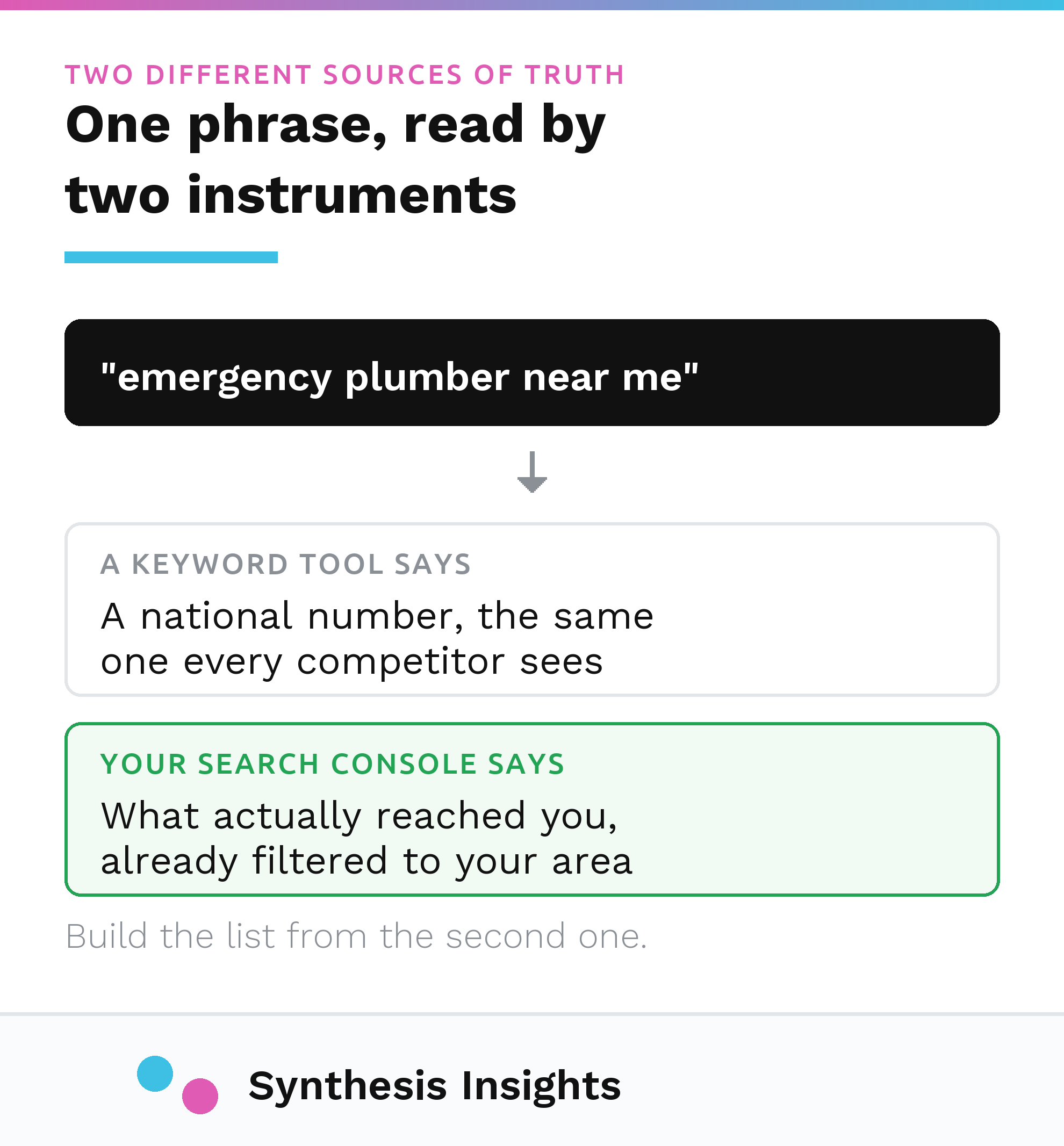
Every major keyword tool reports "average monthly searches" as if it's one honest number. It isn't. Google's own Keyword Planner documentation defines the metric as being "based on the month range as well as the location and Search Network settings you selected," and by default that figure is "averaged over a 12-month period" across whatever geography is currently set, which for most accounts is far broader than a single service area (Google Ads Help, Keyword Planner forecasts). If nobody narrows that location setting to the actual fifteen-mile radius a business serves, the number on screen is a national or regional figure wearing a local business's keyword list.
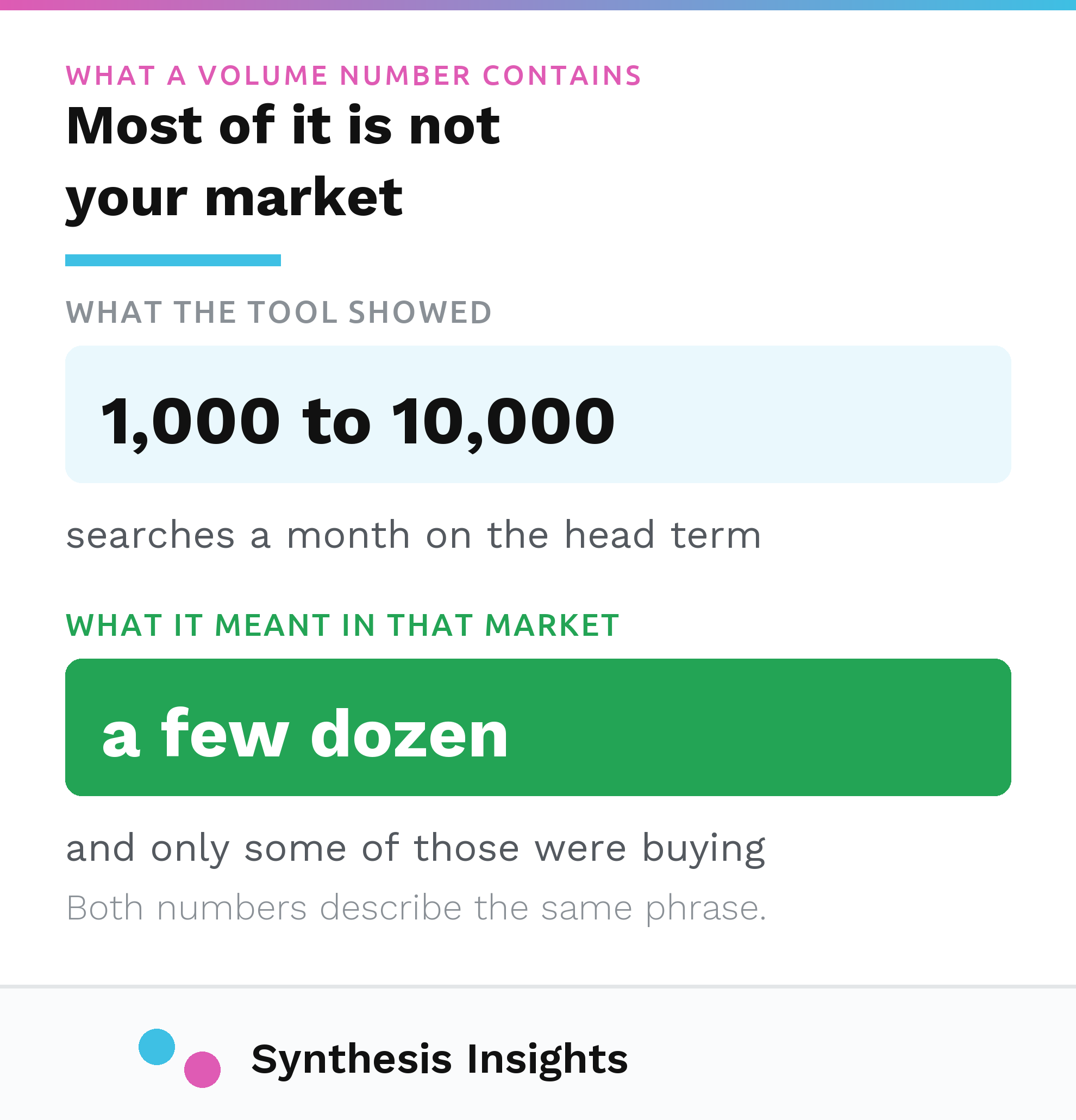
I've watched this play out the same way more than once: a business owner sees "1,000 to 10,000" searches a month next to a head term, decides that's their opportunity, and spends months chasing a keyword whose real volume in their own market might be a few dozen searches. The tool didn't lie. It answered a question nobody asked it: how many people search this nationally, not how many people search it near this business.
Google Trends has the same problem in a different shape. It doesn't report search counts at all. Per Google's own FAQ, "each data point is divided by the total searches of the geography and time range it represents to compare relative popularity," and the result is "scaled on a range of 0 to 100 based on a topic's proportion to all searches on all topics" (Google Trends Help, FAQ about Trends data). That's a relative curve, useful for spotting a seasonal swing, and worthless as a volume estimate. Treating a Trends score as a search count is a small, common error that compounds into the same bad keyword list.
What I check first: the search data the business already owns
Before I open a third-party tool, I look at data the business is already sitting on. A verified Google Business Profile has a Performance report, and one of its metrics is Searches: literally "the search terms people used to find your business" (Google Business Profile Help, Understand your Business Profile performance). It updates monthly and takes a few days to populate, but it's first-party data from the exact listing the business is trying to rank. Nothing a keyword tool guesses at can beat that.
I'll flag a correction here, because the version of this post that's been live gets it wrong: it lists Google Search Console alongside Semrush and Ahrefs as a source for "search volume" and "keyword difficulty." Search Console doesn't provide either. Its Performance report gives clicks, impressions, click-through rate, and average position, broken out by query, page, country, device, and date (Search Console Help, Performance report overview). That's real and valuable data about how a site is already performing for real queries. It is not a volume or difficulty score, and treating it as one will send you looking for numbers that report doesn't have.
Between the two, GBP Searches and GSC queries, I get a picture of what people are actually typing to find this specific business. That's a real answer to the question a national tool can only estimate. It's the baseline I build everything else against.
Explicit versus implicit, reframed
The standard advice splits local keywords into explicit ("plumber in Denver") and implicit ("plumber near me," with location inferred). That distinction is real, but it matters less for content strategy than it used to, because Google's local ranking system was never primarily reading city names out of your page copy in the first place.
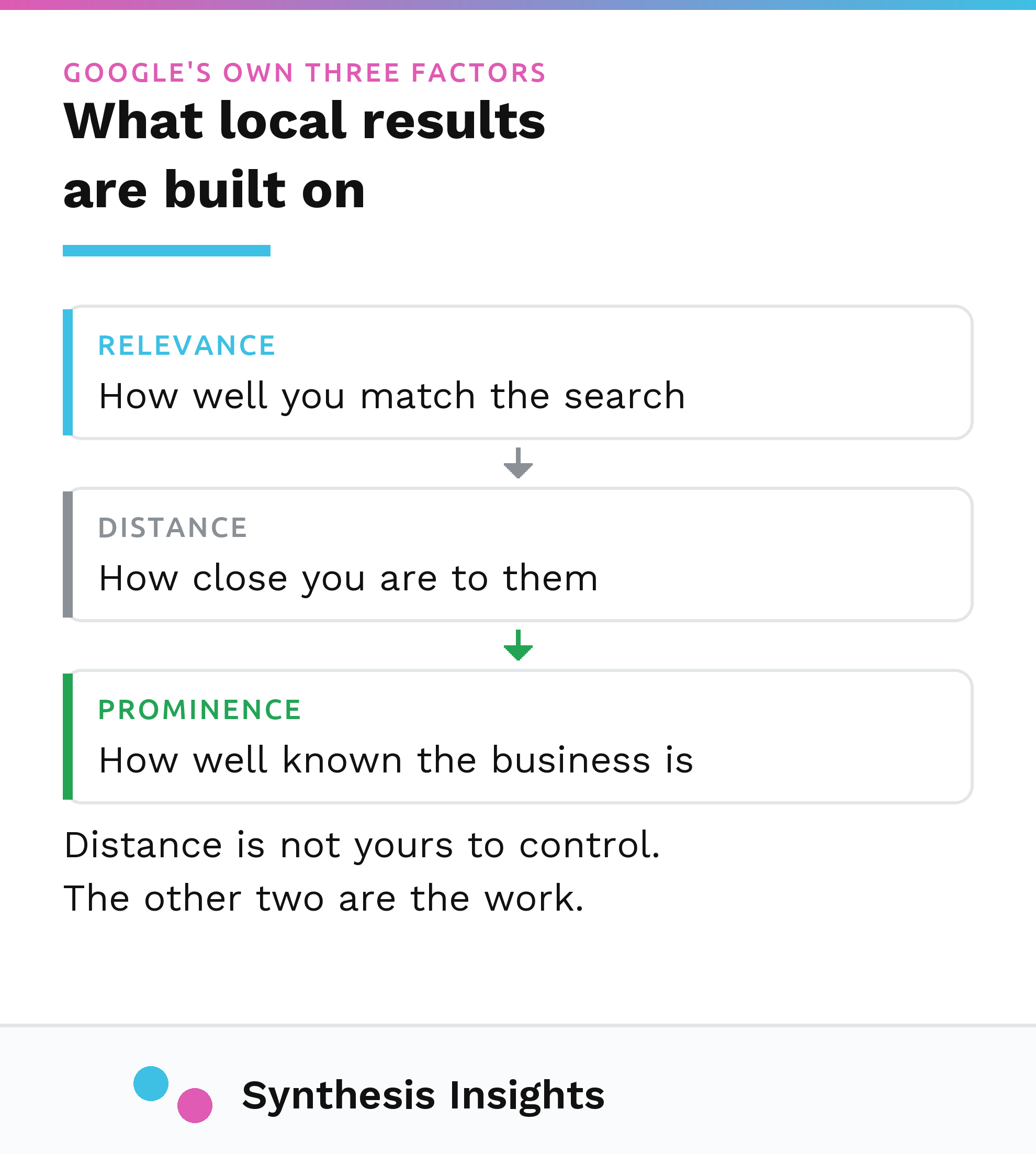
Google states plainly that local results run on three factors: relevance ("how well a Business Profile matches what someone is searching for"), distance ("how far each business is from the customer who's searching"), and prominence ("how well-known a business is," based partly on links and review volume) (Google Business Profile Help, Improve your local ranking). None of those three is "how many times the city name appears in the H2 tags." Distance is handled by the search engine knowing where the searcher is. Prominence is built through reviews and links, not phrasing. Relevance comes from accurate categories and complete profile information as much as from written copy.
That conclusion is an inference on my part, since Google hasn't stated it directly, but it follows from what they do say: if the ranking factors are relevance, distance, and prominence, then a keyword strategy built mainly around stuffing "[service] in [city]" into every page is optimizing for a mechanism that isn't the one doing the work. The keyword research still matters, for search intent and for the words a page needs to actually answer. But treat "explicit versus implicit" as a content-matching question. It stopped being the ranking lever people once assumed it was.
The process I actually run
- Pull the real language first. Before any tool, I get the actual words used by people who've already contacted the business: call transcripts if they exist, contact form submissions, whatever the sales or front-desk team hears repeatedly. This is the language customers actually use, which an SEO tool can only guess at.
- Cross-check against first-party search data. GBP Searches and GSC queries, as above. Anything already showing up there is validated demand.
- Use a keyword tool for expansion, with the location set correctly. Narrow the tool's geography to the actual service area first. Only then do the volume numbers become useful for prioritization.
- Use Trends for direction, never for size. A rising or falling line tells you something. The 0 to 100 score does not tell you how many people are searching.
- Kill anything that only survives on a national number. If a term only looks worth pursuing because of an unfiltered volume figure, and it doesn't show up in the business's own search data or in customer language, it comes off the list.
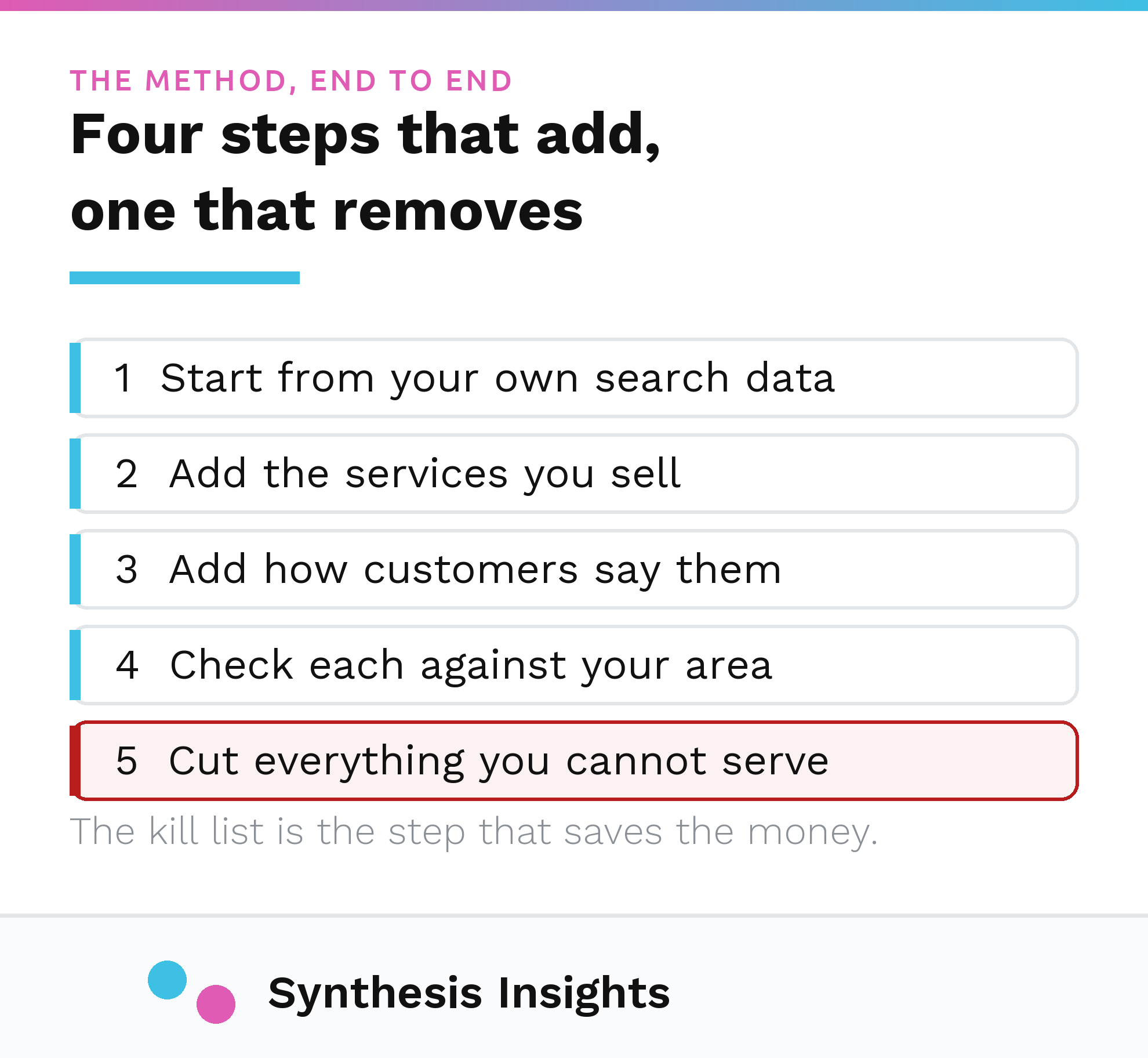
That fifth step is the one people skip, because it feels like throwing away work. It's the step that actually protects the budget. A keyword list that's twenty terms shorter but every term is grounded in either owned search data or real customer language will outperform a fifty-term list built on unfiltered tool output, because the twenty-term list doesn't send a business chasing content for searches that were never really local in the first place.
What this doesn't cover
This is the keyword research step only. It doesn't cover Google Business Profile setup, which is its own post, and it doesn't cover the wider local SEO picture, which I've also written up separately. If you're working through this and want a second set of eyes on how the keyword list should actually inform a site, that's the kind of thing I look at when I work with businesses directly. You can see how I work or get in touch if that's useful, and there's more on the blog if you want to keep reading.
The short version: the number on the screen is not the number that matters. The number that matters is the one your own listing and your own search console already have, and most local keyword research skips straight past it to guess at something a national tool was never built to answer for a single storefront.