Google Business Profile optimization gets treated like a content calendar problem. Post more, add more photos, answer reviews faster. Some of that helps. None of it is where the real leverage sits, and the platform has changed enough in the last two years that a good chunk of the standard advice online is now describing features Google has already taken away.
This one is not a case study. The one real piece of local search client work on my desk right now is tied up in a commercial question that has not resolved, so it stays off the page entirely. No borrowed numbers, no anecdote dressed up to stand in for a result I have not delivered yet. What follows instead is the mechanics: what Google itself says determines local ranking, what got pulled or renamed since most Google Business Profile guides online were written, and what is worth your time versus what is theater.
If you run a business with a physical location or a defined service area, a facility, a showroom, a job site radius, this is worth thirty minutes even if the profile is already "set up." Almost every account I have looked at is set up. Few are optimized against what Google actually rewards, and a handful are quietly breaking a rule that puts the whole profile at risk.
What you're actually managing
The product used to be called Google My Business, and it had its own standalone app. Both are retired. You manage a Business Profile now inside Google Search and Google Maps directly once it's verified, or through Business Profile Manager if you're running more than one location. Google's own instructions for managing a profile directly on Google describe exactly that setup: edit from Search, edit from Maps, no separate app in between.
If a guide, a vendor pitch, or an old blog post, including, until this rewrite, one of mine, tells you to download the Google My Business app, it's describing a product that stopped working years ago. It's a small thing on its own, but it's a useful test of whether the advice around it was written recently or just republished.
What Google says actually ranks it
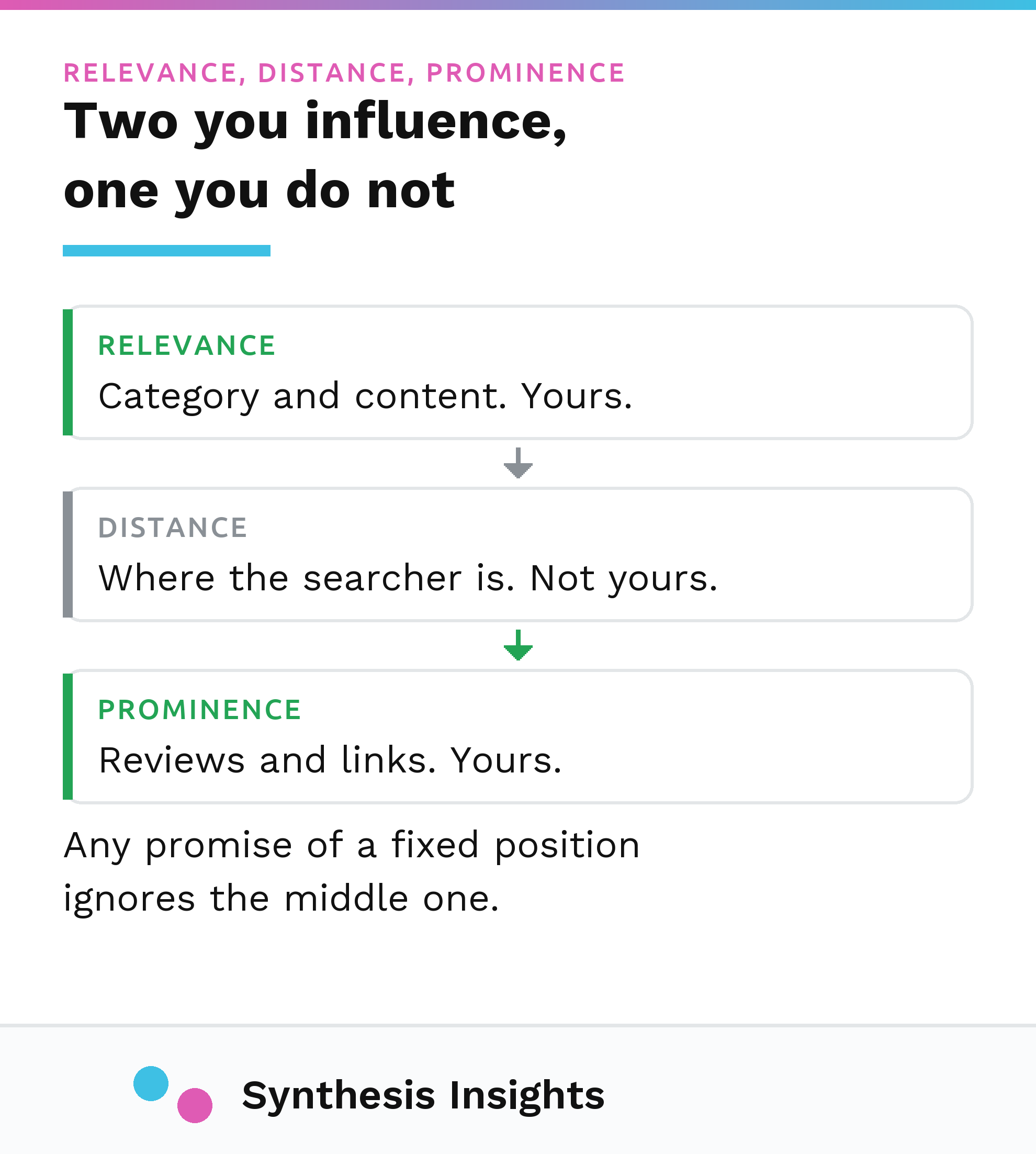
Google publishes the factors it uses to rank local results, and it's worth reading in its own words rather than a paraphrase. Per Google's guide to how local results are ranked, relevance is "how well a Business Profile matches what someone is searching for," distance is "how far each business is from the customer who's searching," and prominence is "how well-known a business is." The same page states plainly that there's no way to pay for a better local ranking.
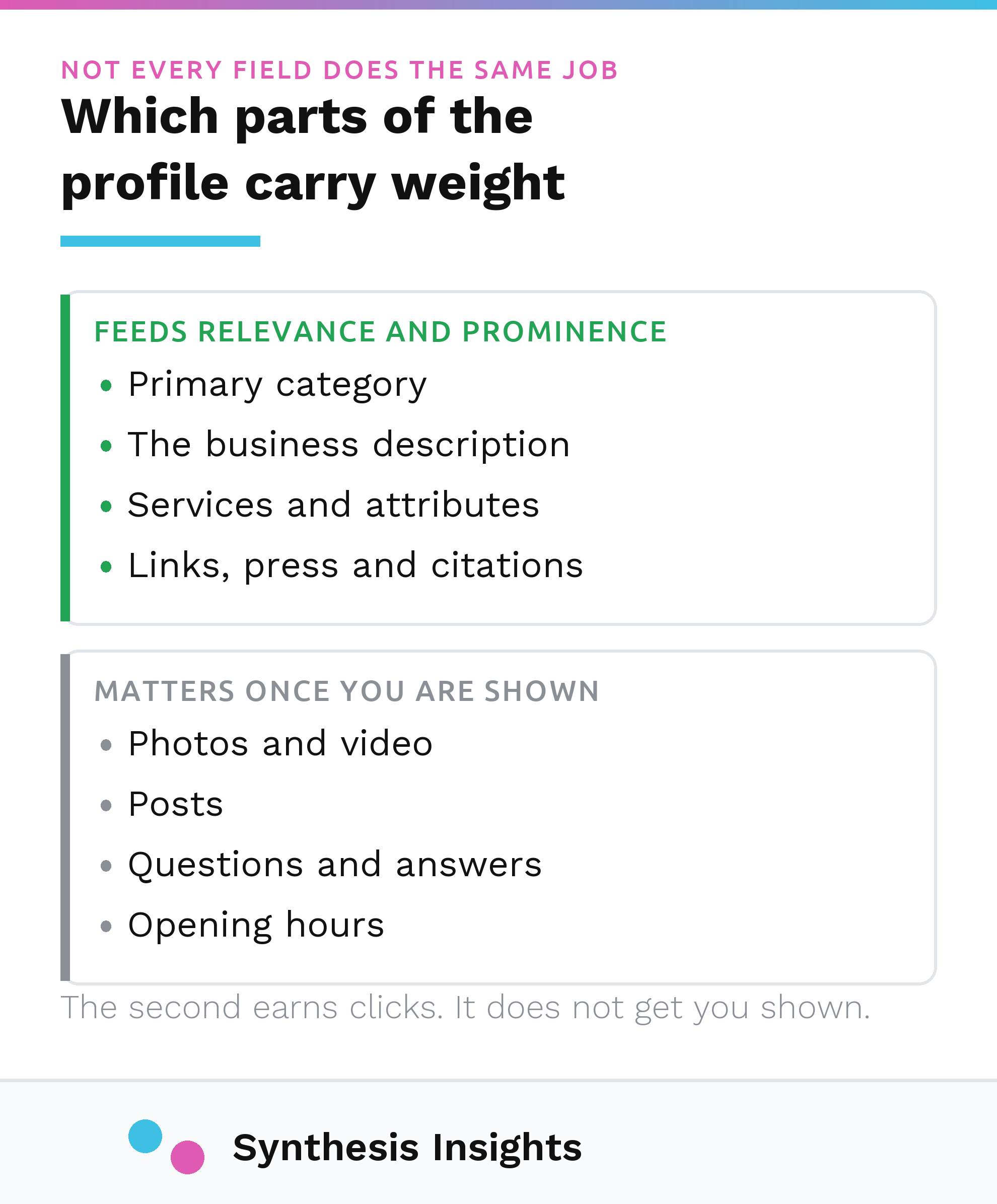
Two of those three you can't touch through optimization. Distance is geography. Prominence is built mostly outside the profile itself, through links, press, citations and general web presence, the same signals that drive organic ranking more broadly. Relevance is the one that lives inside the profile: category selection, the business description, the services and attributes you fill in, all of it Google reading your listing and matching it against a query. Most optimization advice, including the version this post replaced, spends its time on the parts you can't move (post more, add more photos) and skips the part you can (make the profile unambiguous about what the business actually does).
If you want the wider local SEO picture beyond the profile itself, I covered that separately in local SEO strategy.
What changed, and what to stop doing
A few features that used to be standard advice are gone or going. Worth naming them so you stop chasing dead ends.
Q&A is being phased out. Google's own developer documentation states: "On November 3, 2025, we will be discontinuing the My Business Q&A API," after which "you will no longer be able to read or post questions and answers using the API." The public-facing Q&A section on profiles is being removed on the same rollout. If your current checklist tells you to seed your own Q&A with keyword-rich questions, that tactic is gone. Move anything useful that was sitting there into your business description or your website instead.
Chat went earlier. Google confirmed it would be "winding down Google Business Messages on July 31, 2024." If a guide still lists messaging as an engagement tactic, it predates mid-2024.
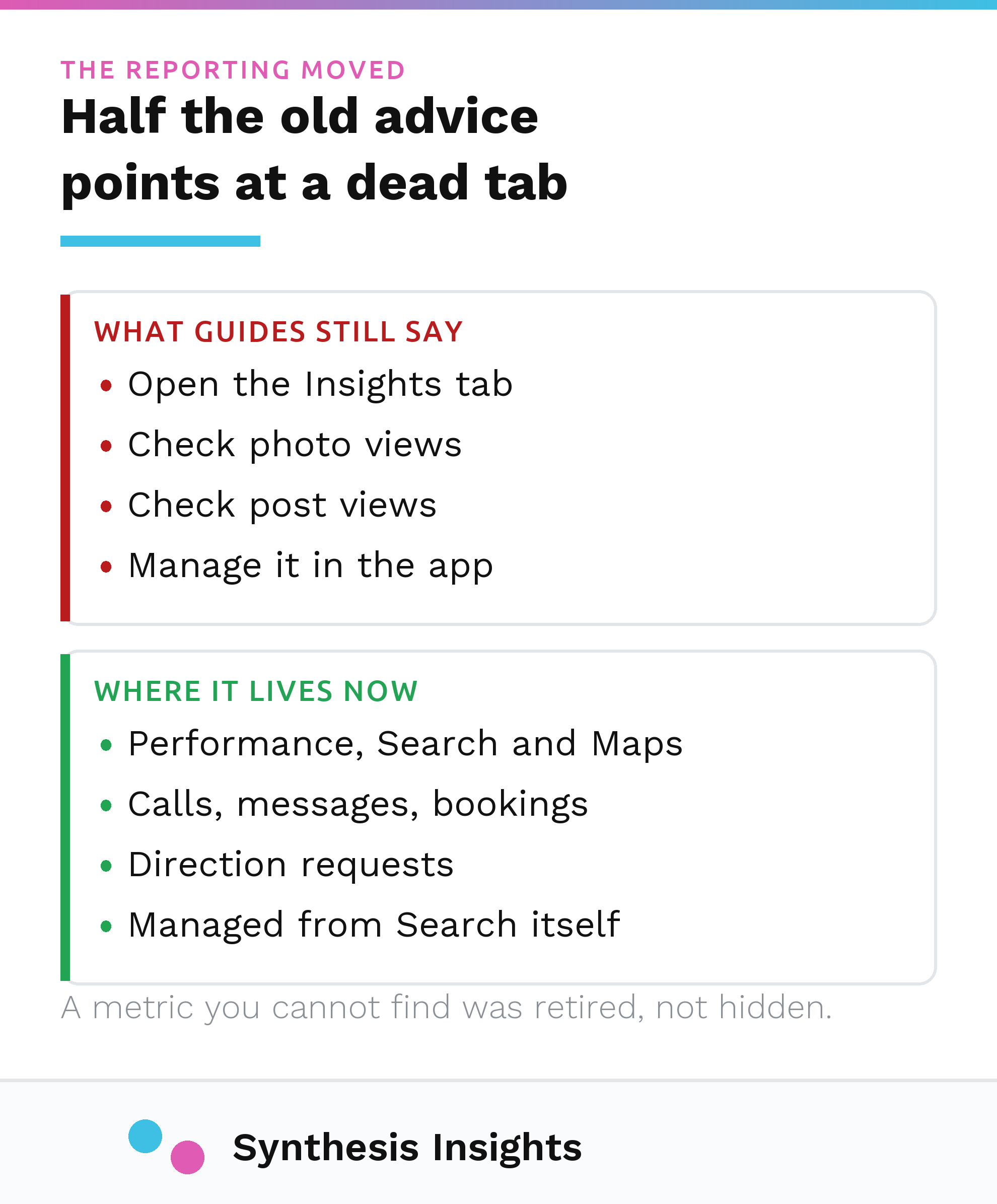
Insights became Performance, and the metric set is thinner than it used to be. Google's current performance report page lists interactions, calls, direction requests, website clicks, bookings and a handful of category-specific metrics. Photo view counts and individual post view counts, both commonly cited in older optimization guides as things to track, aren't on that list anymore. If a report you're relying on still shows those numbers, check where they're actually coming from.
What actually moves it
With the dead features cleared out, here's what's still live and worth the time.
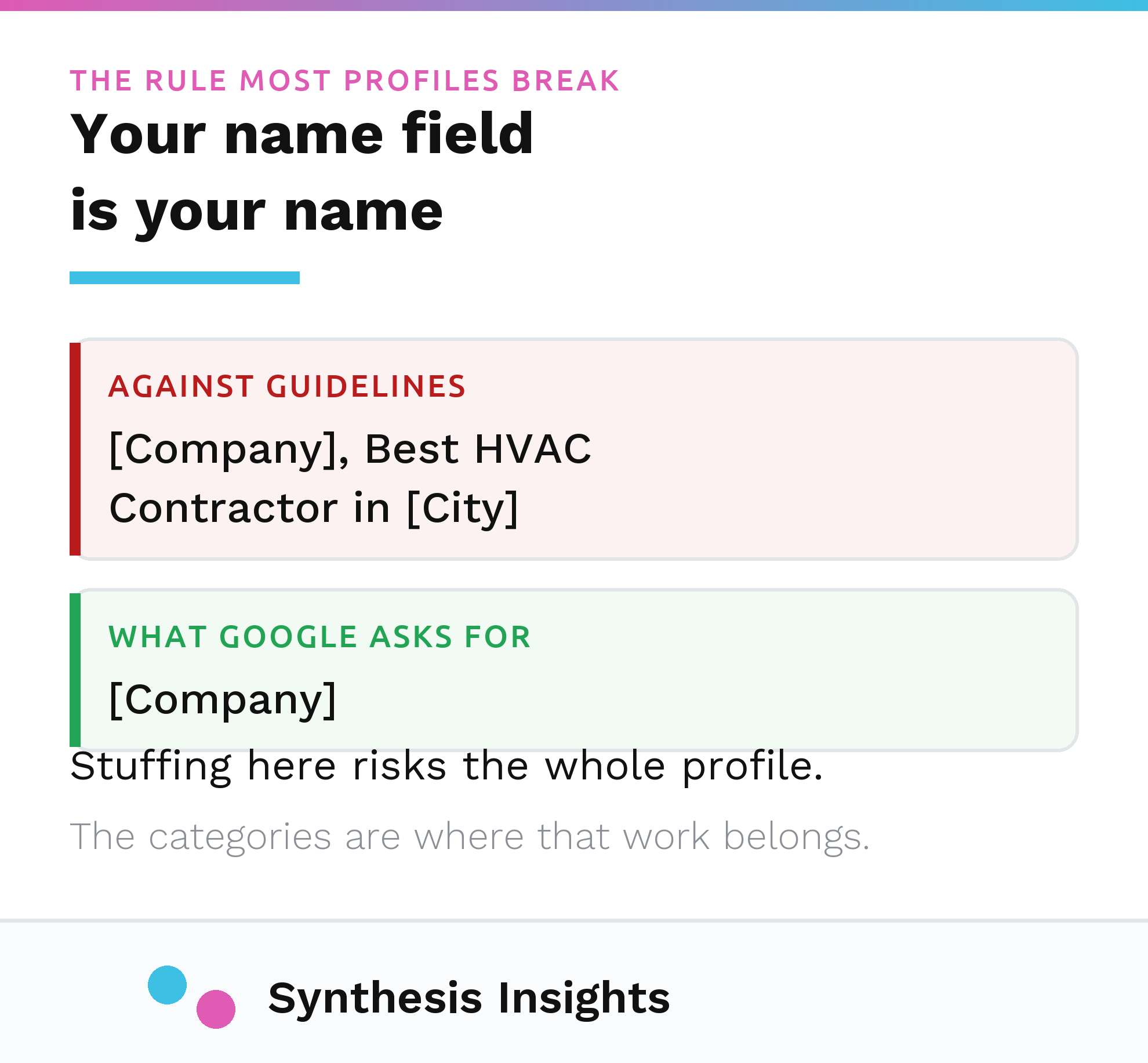
Get the name field right and leave it alone. Google's guidelines for representing your business are specific: no taglines, no marketing copy stuffed into the name field. Their own example: "TD Bank, America's Most Convenient Bank" is not acceptable, only "TD Bank" is. I still see accounts running as "[Company], Best HVAC Contractor in [City]." That's not a growth hack. It's a policy violation that puts the whole profile at risk, and it's one of the easier things to check and fix in a single sitting.
Pick the most specific accurate category, not the most impressive one. In audits I've run, the single most common category error is a business choosing a broad category because it sounds more substantial, when a narrower one is both more accurate and more likely to match what people are actually searching for. That's a pattern I've observed across accounts rather than something Google documents outright, but it follows directly from the relevance factor above: a vague category gives Google less to match against.
If you take bookings, appointments or orders and you're in an eligible category, use the link. Google's instructions for adding a booking link let you attach a direct link to your booking, ordering or reservation page from the profile itself. It's a small setup task most eligible businesses still haven't done.
Posts still exist and still work roughly the way they always did: three types, Updates, Offers and Events, each with its own required fields. None of them fixes a weak category or an inconsistent name. They're additive, not foundational, which is exactly backward from how most checklists rank them.
The mistakes that are still common
Keyword-stuffed or tagline-stuffed business names, covered above, more common than it should be given it's an explicit, written policy.
Duplicate profiles for the same location. These usually trace back to a franchise relationship, a rebrand, or a previous agency creating a second listing instead of finding the first one. They split your reviews and leave Google unsure which listing is authoritative.
Inconsistent name, address and phone details across the profile, the website footer, and other directories. I can't point you to a single Google document that names this a ranking factor in so many words, but it follows from what the prominence factor actually measures: signals about the business gathered from across the web. A business whose address reads three different ways online is making that signal harder for Google to trust. It won't necessarily break the profile, but it adds friction Google has to work around.
Treating the profile as done once it's claimed. It isn't a form you fill out once. It behaves more like a listing that degrades if nobody touches it: categories go stale as the business changes, photos age, and a competitor's more complete profile starts outranking yours while yours sits where you left it two years ago.
How to tell if it's working
The current report is called Performance. Insights, the old name, is gone. It shows interactions, calls, direction requests, website clicks and bookings where applicable, per Google's own documentation. Watch direction requests and calls specifically if the business depends on people physically showing up. Clicks and impressions tell you the profile is being seen. They don't tell you it's producing business.
I don't have a finished result to show you here, and I'd rather say that plainly than dress up a still-open engagement as proof. What I can tell you is that most of the Google Business Profile advice circulating right now was written for a version of the product that no longer exists, and the fix is less about doing more, and more about doing the handful of things Google actually documents.
This is the same approach I bring to every account, laid out in more detail in how I work. If you want a second pair of eyes on a profile, get in touch, or read more on the blog.