You find negative keywords by opening the Search Terms report inside Google Ads, sorting by cost to surface the queries that spent the most, and scanning for searches that signal wrong intent or no purchase potential. Add the ones you want to block as negative exact match keywords first, because exact match is the only type that cannot accidentally block a search term you still wanted. Review each term again only after it has collected enough clicks and cost to make a reliable judgment, not on a calendar schedule.
Most advice about negative keywords stops at the easy half: open the search terms report, find what spent money without converting, exclude it. That will find you real waste. On a badly measured account it will also talk you into deleting traffic that was producing business the whole time.
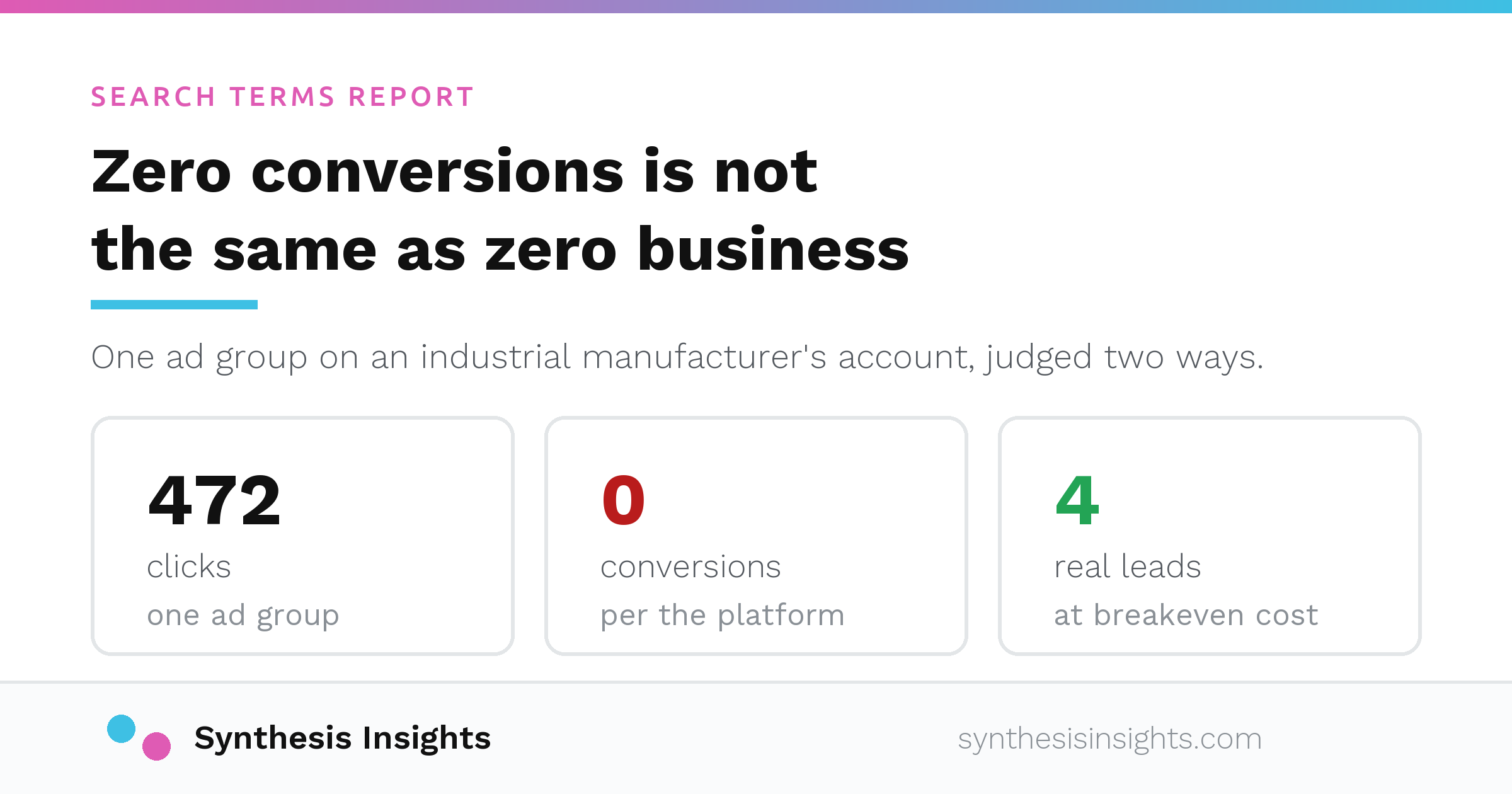
I have watched it nearly happen. On an industrial manufacturer's account, one ad group had taken 472 clicks and reported zero conversions. By the platform's own numbers the recommendation writes itself: shut it off.
The CRM had four real leads from that ad group in the same window, at roughly breakeven cost. The tracking simply was not recording them. Cutting on the platform reading would have removed a working source of business, and nobody would have noticed for months, because you cannot see the leads you stopped buying.
So here is the process I actually run, including the part that happens before anything gets excluded.
What you are looking at
Your keyword list is what you bid on. The search terms report is what people actually typed. The gap between them is where both the waste and the discoveries live.
You find negatives in two directions, and a real account needs both.
Before launch, you predict. If you sell industrial conveyors, "conveyor belt sushi" is not a customer and you know that without spending a dollar. Definition searches, DIY guides, job seekers, students and competitor curiosity are all predictable. The list will never be complete, because nobody anticipates every phrasing a stranger will type, but the hour spent here before launch is the cheapest hour in the account.
After launch, you observe. This is where the search terms report earns its keep, and where the expensive mistakes get made.
Where to find negative keywords: the Search Terms report
Google Ads gives you two places to see what people actually typed before your ad served. The Search Terms report lives under Campaigns > Insights and reports > Search terms; some accounts still show the older path through Campaigns > Keywords > Search terms. Either one gets you to the same place, and Microsoft Ads works the same way. It is a straightforward list of queries, clicks, impressions, cost, and conversions, sorted by whatever metric you choose. Search Terms Insights, the second view, groups related searches into categories and themes, which helps when you want to spot broader patterns instead of individual terms.
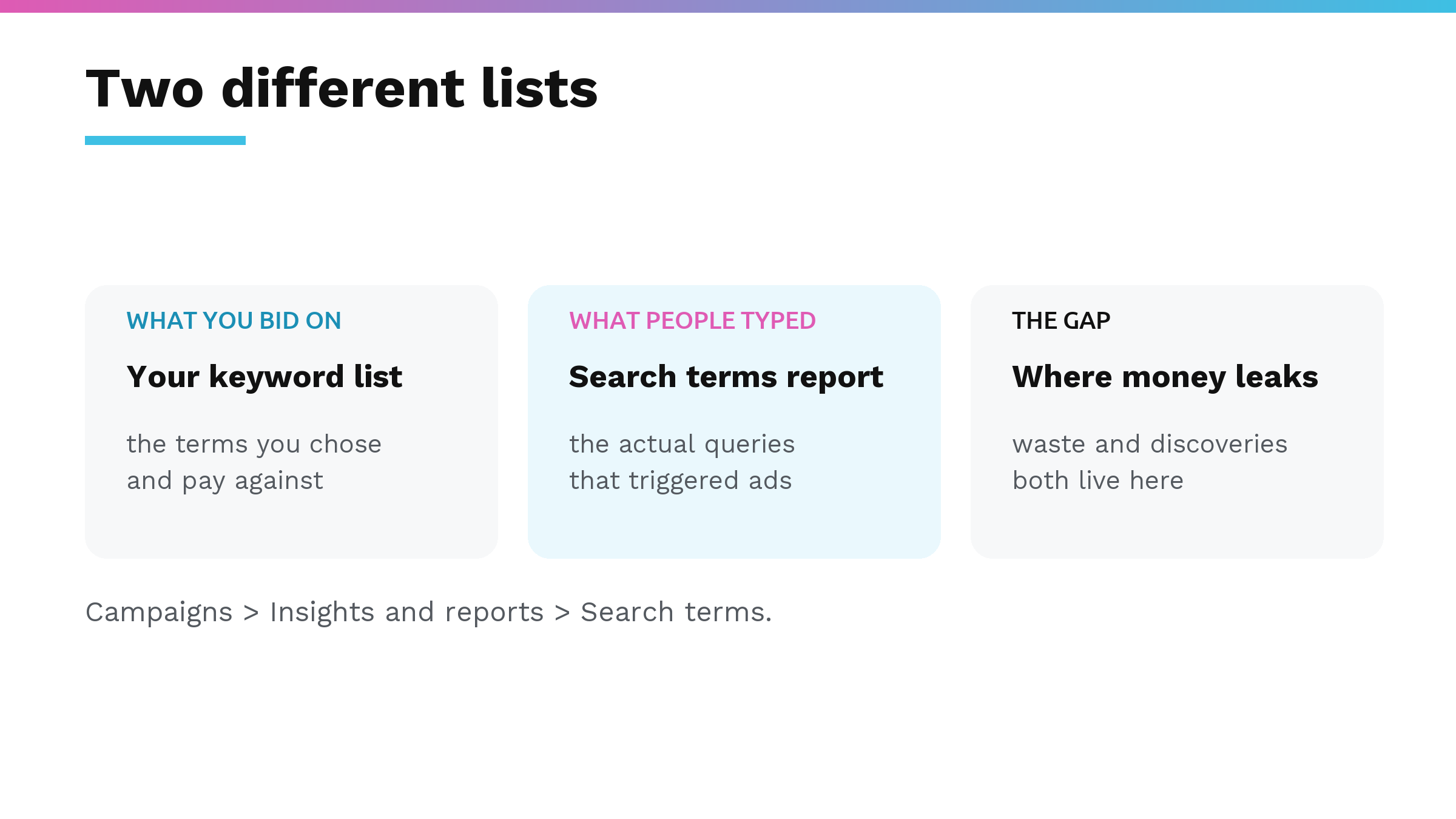
The report shows the actual queries people typed that triggered your ads, which is different from your keyword list. Your keywords are what you bid on. The search terms report is what really matched. Either view works for negative keyword discovery.
Once you are in the report, pulling candidates takes four steps:
- Sort the table by cost, highest first. The terms burning the most money surface immediately.
- Scan for queries with obviously wrong intent. Think wrong product, DIY instructions, job seekers, students researching a paper, competitor names, or definition lookups.
- Check the box next to any term that is clearly not a buyer.
- Click "Add as negative keyword" and choose the level that makes sense. An ad group negative blocks the term for that one ad group. A campaign negative blocks it across the whole campaign. A shared negative keyword list applies the same exclusions to multiple campaigns at once.
High spend plus obviously wrong intent is the fast path to the safe cuts. But pulling the list is the mechanical part. Deciding which of those terms actually become negatives, without cutting queries that quietly produce revenue, is where the money gets made or lost.
The two bars a term has to clear
Query-level spend with no conversions is a hypothesis, not a finding. Cutting a term on three clicks risks killing one that would have converted on click fifteen.
Judge over a trailing 90 days. Low-volume terms need the window to accumulate enough clicks to say anything, and seasonality smooths out. Look at the current month separately if you want visibility, but base the decision on the window.
Then a term only earns a negative if it has zero conversions over that window and clears at least one of these:
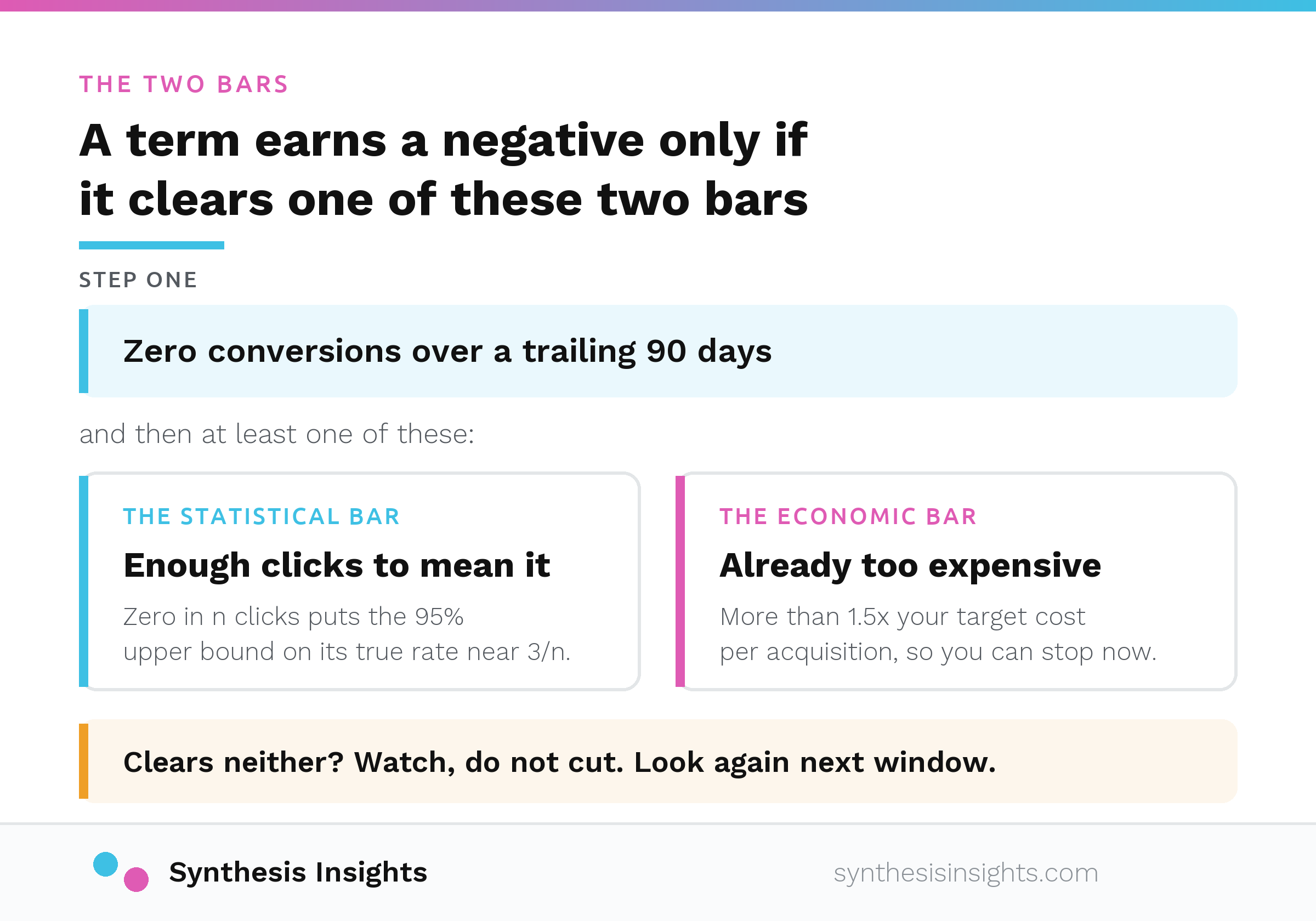
The statistical bar. With zero conversions in n clicks, the 95% upper bound on that term's true conversion rate is roughly 3/n. So the clicks you need before a zero means anything depends entirely on what your baseline conversion rate is:
| Your baseline CVR | Clicks needed before zero is meaningful |
|---|---|
| 10% | about 30 |
| 5% | about 60 |
| 3% | about 100 |
| 2% | about 150 |
Use the baseline for that campaign type. Brand and non-brand convert very differently, and averaging them together into one account number will mislead you in both directions.
The economic bar. The term has spent more than 1.5 times your target cost per acquisition. If you have never worked out what a lead is actually worth to the business, that number is a guess, and the breakeven math is worth doing first. At that point you have already spent more than a conversion is worth, so you can stop the bleed without waiting for statistical certainty.
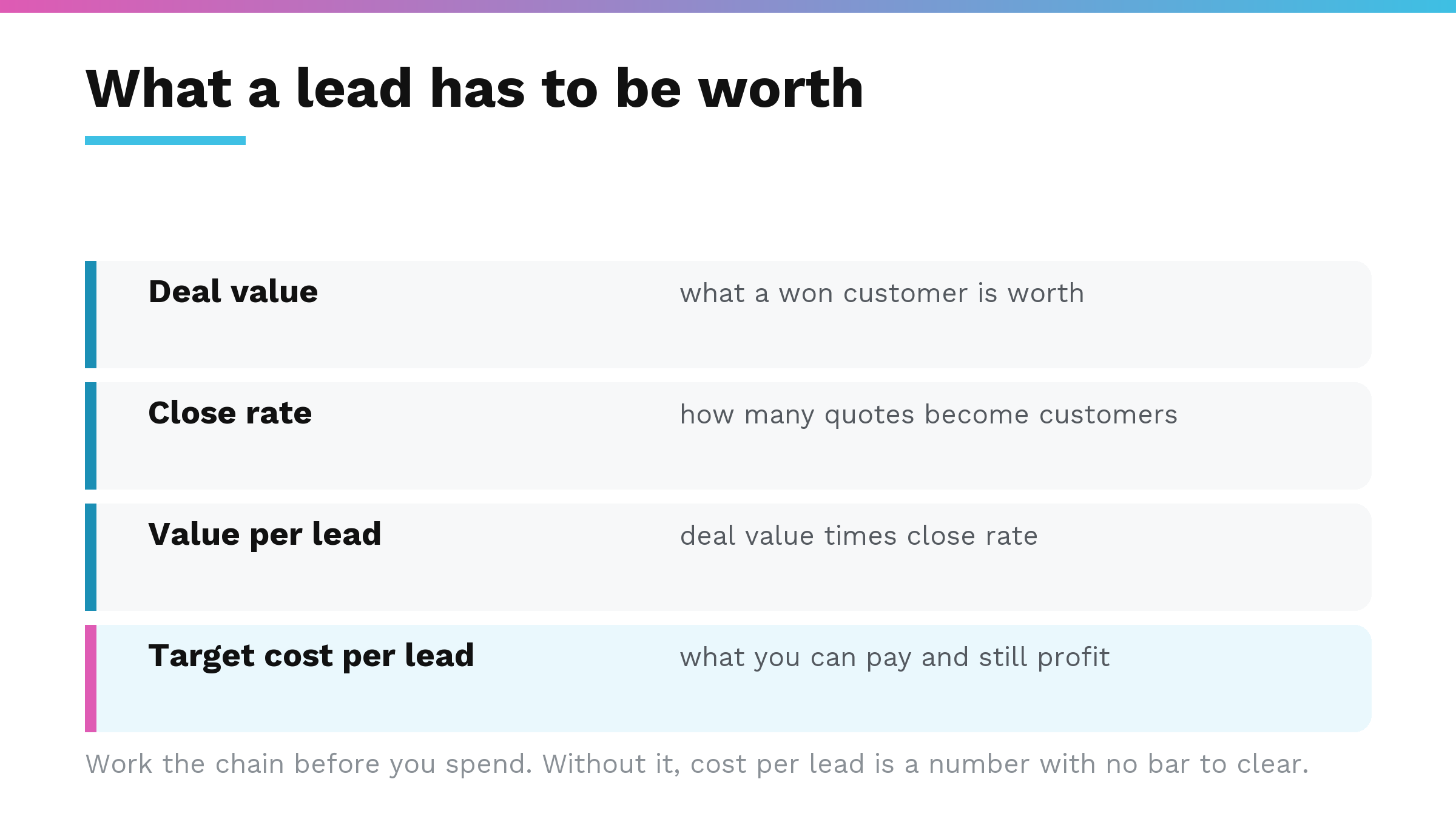
Everything under both bars is watch, not cut. Leave it, note it, look again next window. This is the discipline that separates a real audit from a spreadsheet exercise, and it is the one most commonly skipped, because a list of things you are not cutting looks like less work than a list of things you are.
Where the window has to stop
Ninety days is a starting point. For a low-spend account, or any term that cannot accumulate enough clicks in a quarter, stretch toward 180 or 365 days to gather signal. But cap the window at the most recent of two events:
Any conversion-tracking change. Phone actions are the usual culprit here, and a call conversion is frequently not a call. Never reach back across a tracking fix and treat the zeros on the far side as real. Pre-fix "zero conversions" usually says more about a tag that was not firing than about the term's ability to convert. This is the single most common way a careful-looking analysis produces a completely wrong answer.
Any major restructure, landing page rebuild or offer change. Data from before it describes an account that no longer exists.
Two more guards worth keeping:
Recency. Only negate a term that has actually had impressions in roughly the last 90 days. A term dormant for months does not need a negative and may simply be seasonal.
Seasonality. If a term's spend concentrates in a seasonal peak and you are currently off-season, mark it seasonal-watch and leave the permanent negative alone. A long aggregate window hides seasonality inside a single number.
Two decisions that need completely different evidence
Most of what I read on negative keywords runs these two together, and keeping them apart is what keeps you out of trouble.
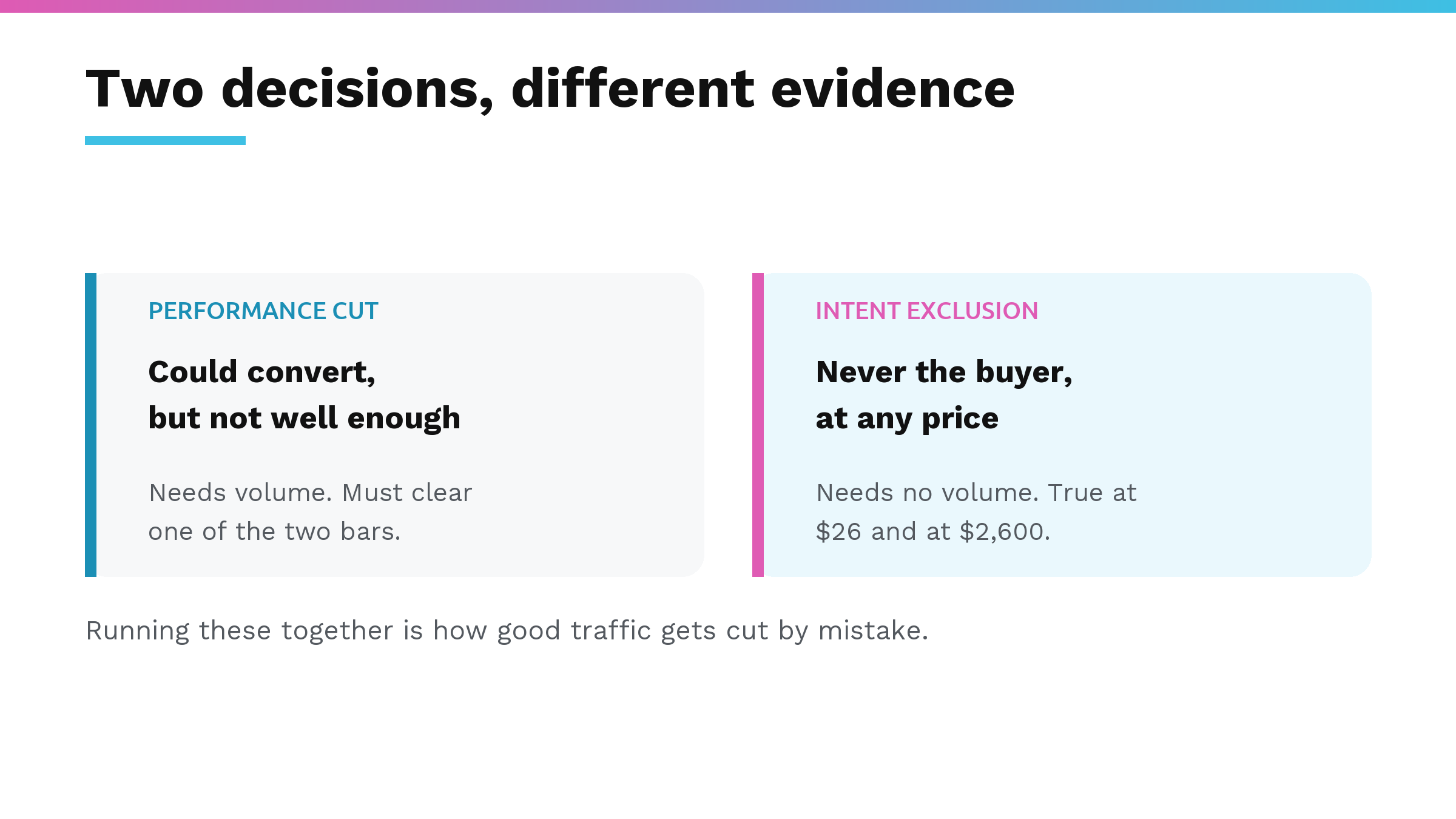
A performance cut says: this traffic could convert, but it does not convert well enough. That claim needs volume behind it, and it has to clear one of the two bars above.
An intent exclusion says: this person was never the buyer, at any price. A definition search, a homeowner looking for a consumer version of an industrial product, someone hunting for a job. That needs no volume at all. It is as true at $26 of spend as at $2,600, because the answer does not depend on performance data.
The standard categories worth reviewing on every account are informational, out-of-scope service, competitor, geographic and job-seeker. One caution on out-of-scope: confirm with the business before excluding a service you think they do not offer. That is a question about scope, and the data cannot answer it.
And keep one more bucket separate from all of the above: terms that do convert but at more than twice your target cost per acquisition. Those belong in the bid-down pile. Cutting them removes conversions you are currently buying, just buying badly.
Match types, and the trap most lists fall into
In Google Ads, negative keywords use broad, phrase and exact match, and they behave differently from their positive counterparts. Straight from Google's own documentation:
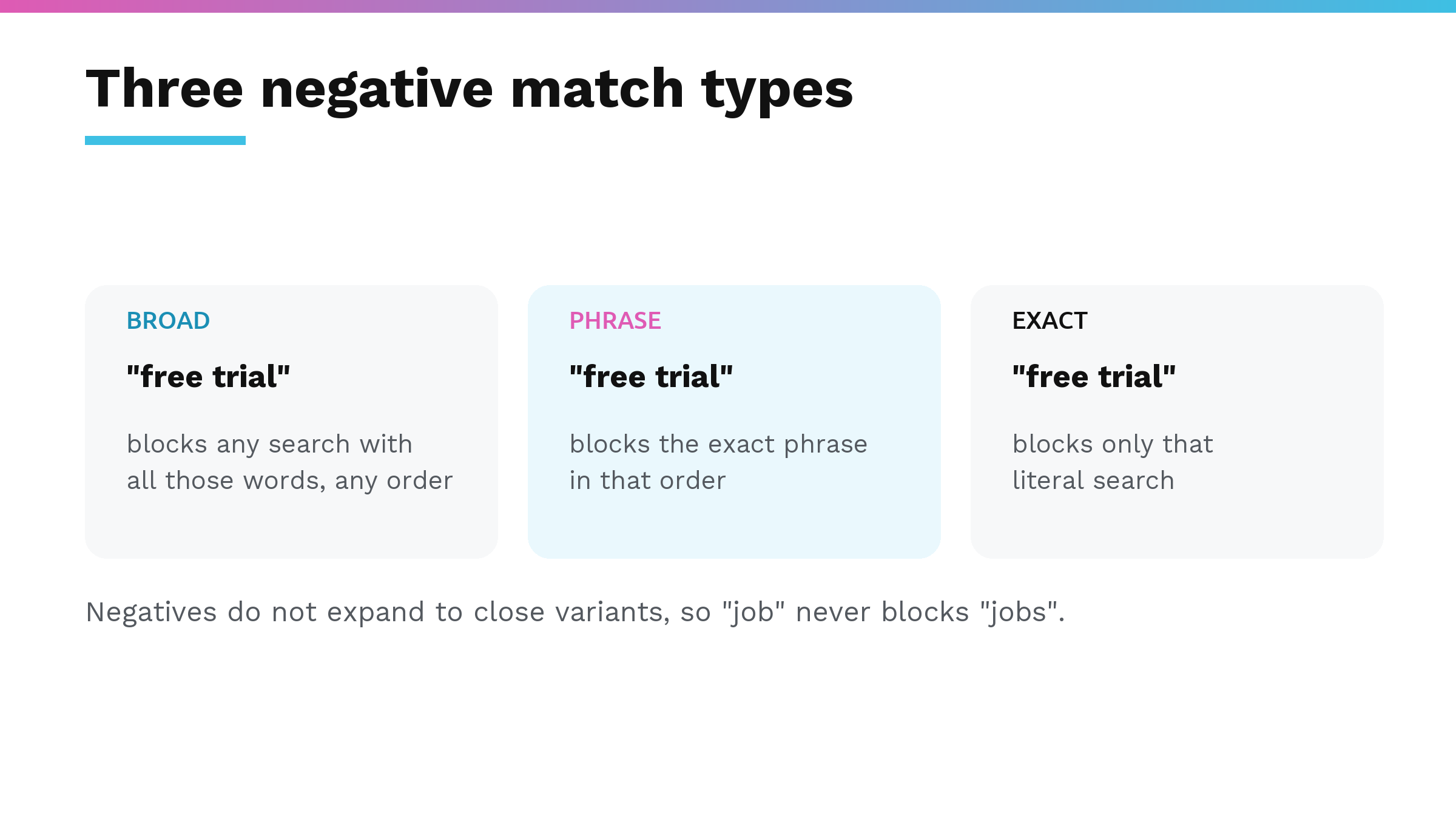
- Broad: "your ad won't show if the search contains all your negative keyword terms, even if the terms are in a different order."
- Phrase: "your ad won't show if the search contains the exact keyword terms in the same order."
- Exact: "your ad won't show if the search contains the exact keyword terms, in the same order, without extra words."
The part that catches people is on that same page: "Negative keywords won't match to close variants or other expansions." Google spells out the consequence: "you'll need to add synonyms and singular or plural versions if you want to exclude them."
So excluding "job" does not exclude "jobs". Your positive keywords expand to close variants automatically and your negatives do not, which means a list you assume is airtight has holes exactly where you stopped thinking. Casing and misspellings are handled for you, per the same page. Plurals and synonyms are not.
Broad, phrase, and exact negative match, and where each one is used
In practice, here is how each type behaves. Negative broad match blocks a search when all the words in your negative keyword appear anywhere in the search term, in any order. For instance, adding "free trial" as a broad negative would block "trial free software" and "get free trial now." Negative phrase match blocks a search only when the search term contains your exact phrase in the same order, with other words allowed before or after it. So a phrase negative for "free trial" would block "free trial software" and "get free trial," but not "trial free." Negative exact match blocks only the literal search term you entered. That means "free trial" as an exact negative would block only the search query "free trial" and no other variation.
Since negatives do not expand to close variants, negative exact match is the safest place to start. It is the only match type that cannot accidentally block a search term you still wanted. Once you have enough data to confirm that a broader pattern of bad queries exists, you can layer in phrase or broad negatives with more confidence. Broad match, in particular, is useful for blocking an entire concept you know is always irrelevant, but it requires careful testing to avoid overblocking.
Microsoft Ads plays by different rules
If you run the same list on both platforms, and most accounts of any size do, two differences matter and neither one is well known.
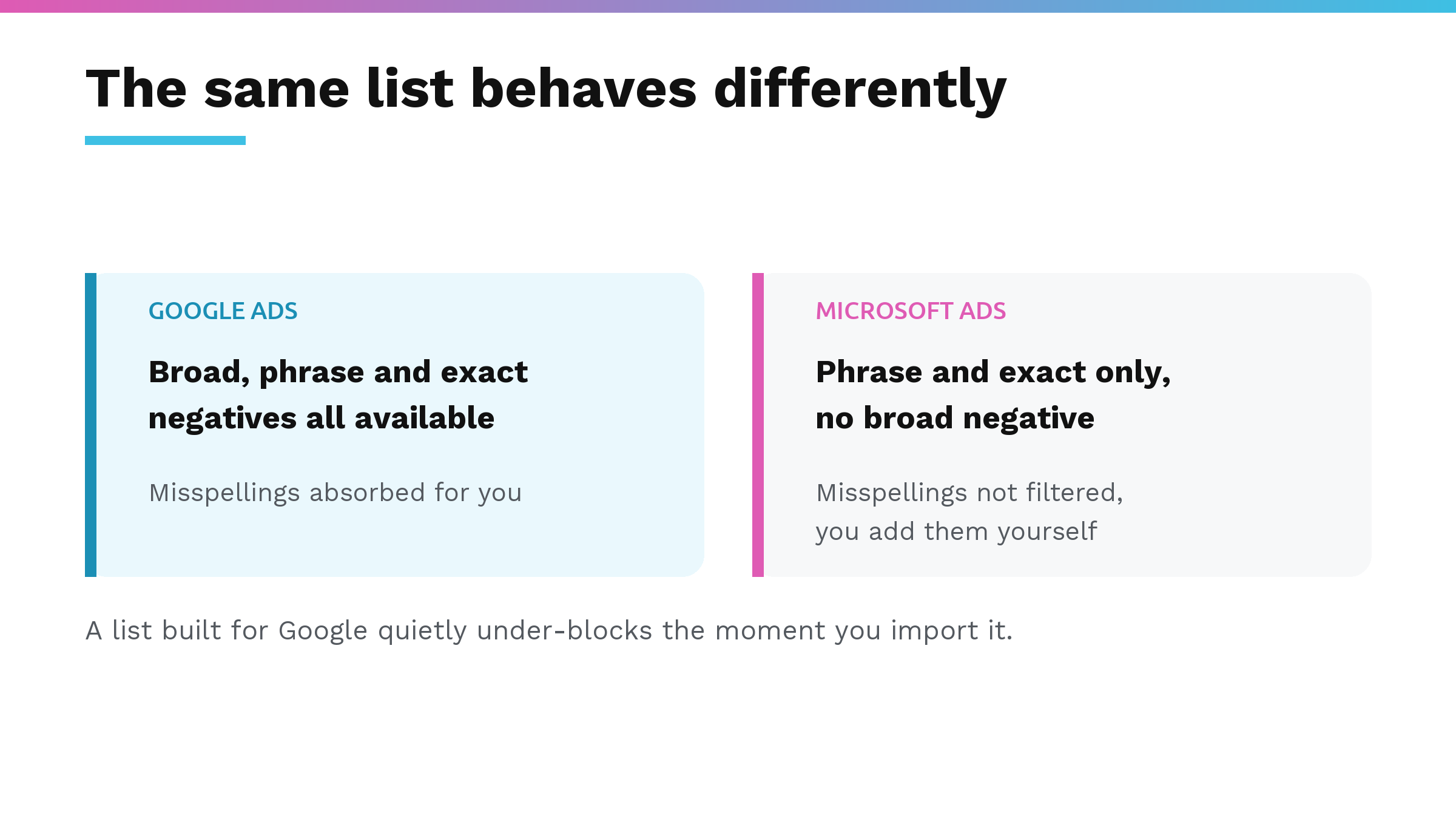
Microsoft has no broad negative match. Its documentation lists two negative match types, phrase and exact. That is the whole set. Phrase is the widest exclusion you can write there, so a list built around Google's broad negatives loses coverage the moment you import it.
Microsoft does not fix misspellings either. Google absorbs them for you. Microsoft is explicit that it does not: "Only the precise negative keyword will be filtered out. Variants (such as plurals, synonyms, and common misspellings of the negative keyword) are not filtered out." Its own worked example shows a misspelled negative being filtered as the misspelling, matching nothing else. Capitalization is normalized on both platforms, so that one you can stop worrying about.
So a list that works on Google will underperform on Microsoft, and it will do it quietly, because nothing anywhere tells you a negative failed to catch something.
What that costs in a real account
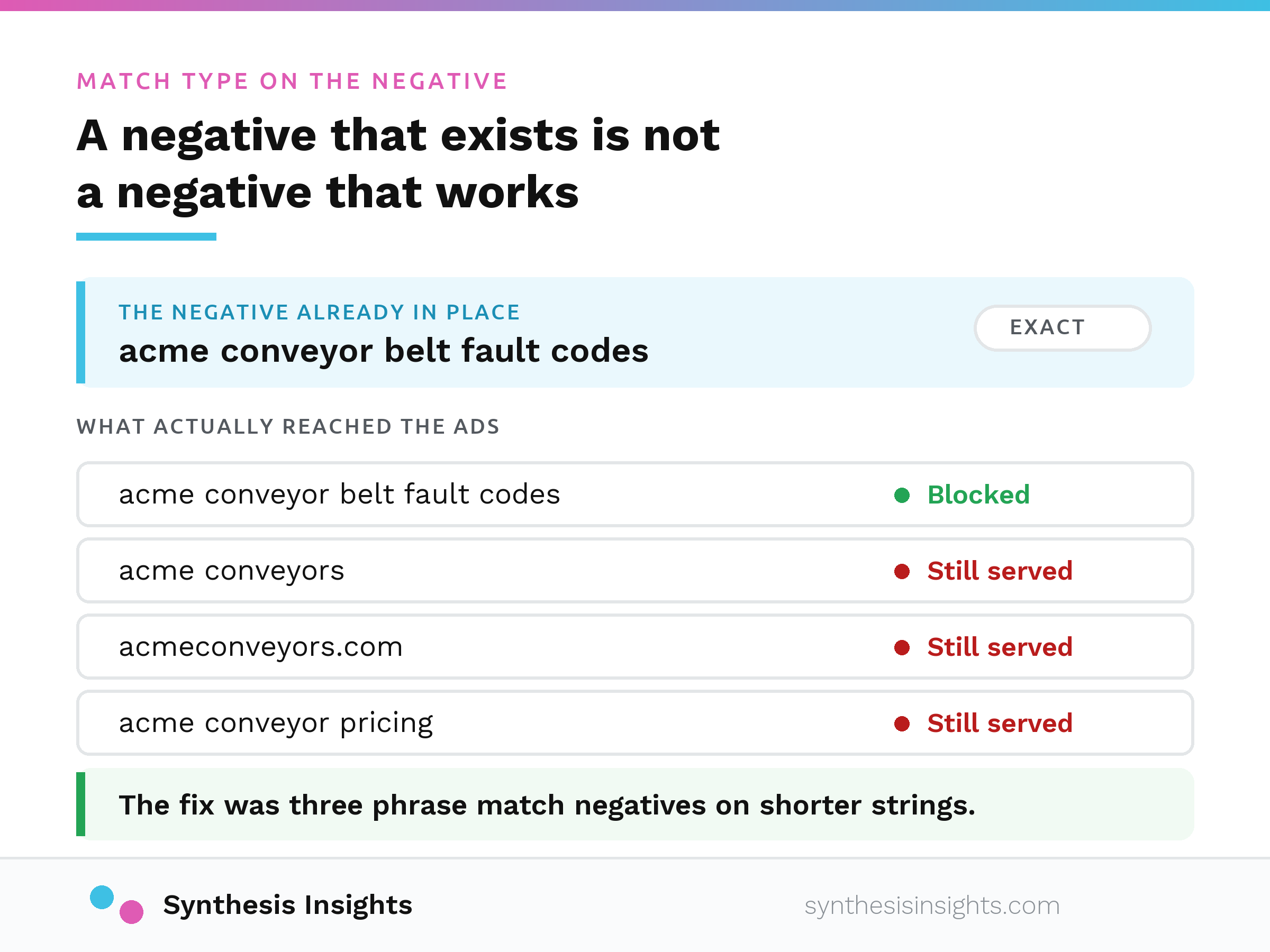
On an industrial manufacturer's Microsoft Ads account, roughly forty brand negatives were already sitting on the non-brand search campaigns, and about $4,900 of brand searches had come through anyway.
Nearly every one of those negatives was exact match on a long string, the kind you add to suppress one specific support query. That works for the query it was written for, and it does nothing against the shorter, more common brand phrasings or the domain-style searches people actually type. On Microsoft an exact negative is narrower still, because its own documentation warns that "your ads may still appear for search queries that include additional words or characters."
The fix was three phrase-match negatives, where forty more exact ones would have changed nothing.
So when a negative already exists and the traffic is still running, the diagnosis is the scope of what you wrote. Re-adding it the same way changes nothing and hides the problem for another quarter. Check the level too: a campaign-level negative, an ad-group-level one and a shared list are three different mechanisms, and "it's on the list" does not tell you which.
One more thing to check before you pause a keyword outright. Accounts with tiered campaign structures often negate a term in the lower tier on purpose, to route that traffic to the campaign that owns it. Pausing it in the owning campaign then kills it account-wide. That may well be what you want, but look at the other campaigns' negatives first so you make that decision with your eyes open.
About the name
Plenty of people still call this AdWords, and there is nothing wrong with that. Google renamed it Google Ads on 27 June 2018, the interface has moved on a long way since, but the habit stuck and the mechanics above are the same either way. If you got here searching for AdWords negative keywords, you are in the right place.
Why this is worth slowing down for
Negative keywords are one of the few levers in a search account where the work is cheap and the compounding is real. A well-maintained exclusion list quietly stops you paying for the same wrong traffic every month for years.
The reason to check before cutting is that a bad cut is invisible. Removing good traffic does not show up as an error anywhere. It shows up as an account that is slightly smaller than it should be, and it stays that way until someone thinks to go looking.
The real danger is cutting a term before it has enough clicks to say anything. A query that looks like pure waste at click ten can be the one that produces a qualified lead once it clears the bar for your baseline conversion rate.
If your search terms report is full of spend with nothing next to it, and you are not sure whether that is waste or a measurement problem, that is the exact question I would start with, and it is the first thing we look at when running PPC for a manufacturer. Book an intro call and bring the report.