To see ChatGPT traffic in Google Analytics, open Reports, then Acquisition, then Traffic acquisition, and look for the AI Assistant row in the channel column, which the report shows by default. In Google Analytics 4 (GA4), that row counts visits whose referrer, the site a visitor came from, matched an assistant on Google’s list, so it shows people who clicked through. Google dated its release note May 13, 2026. The note gives no rollout date for individual properties, so check the first date your own account shows.
Can you see when ChatGPT cites your website?
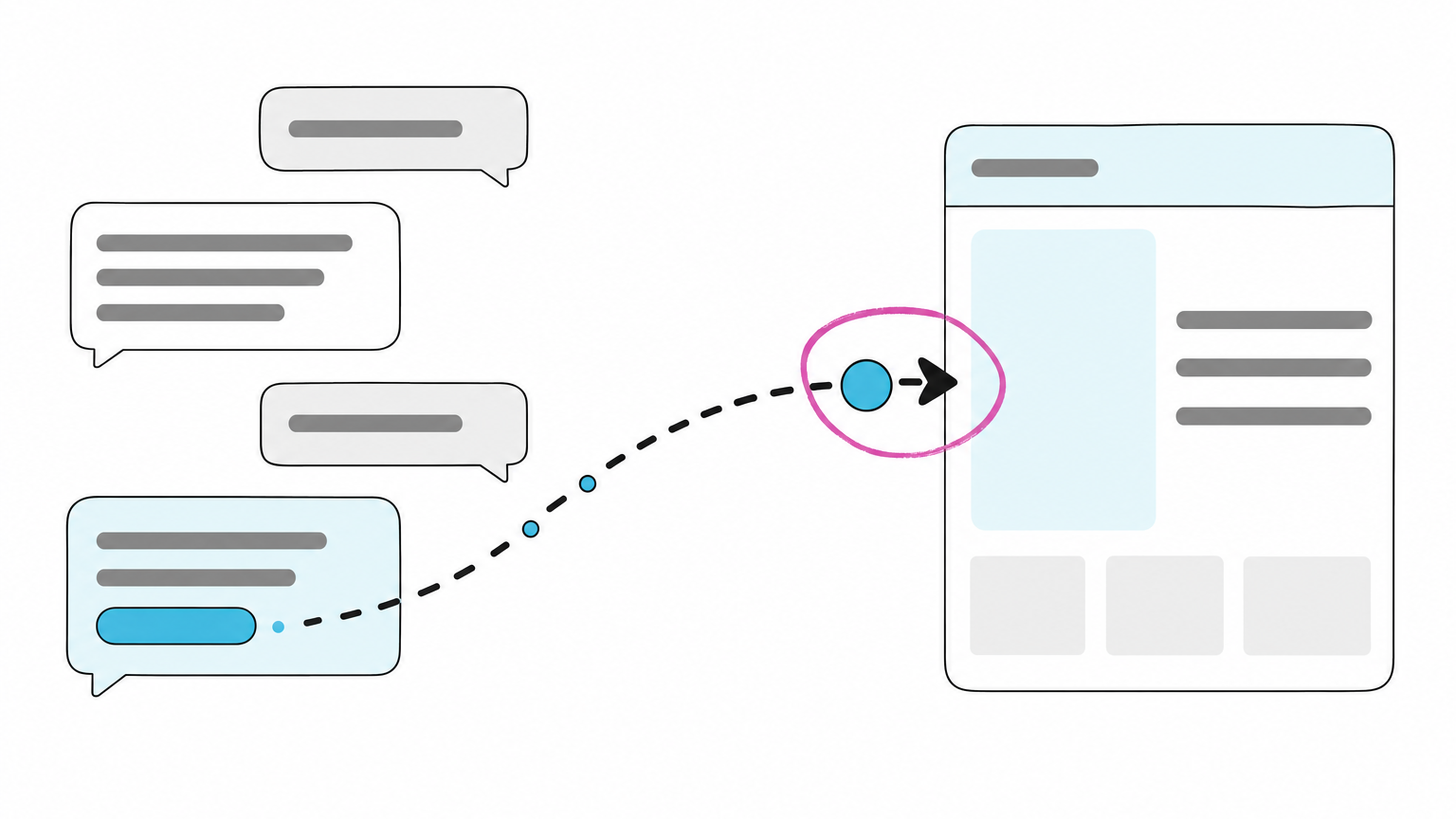
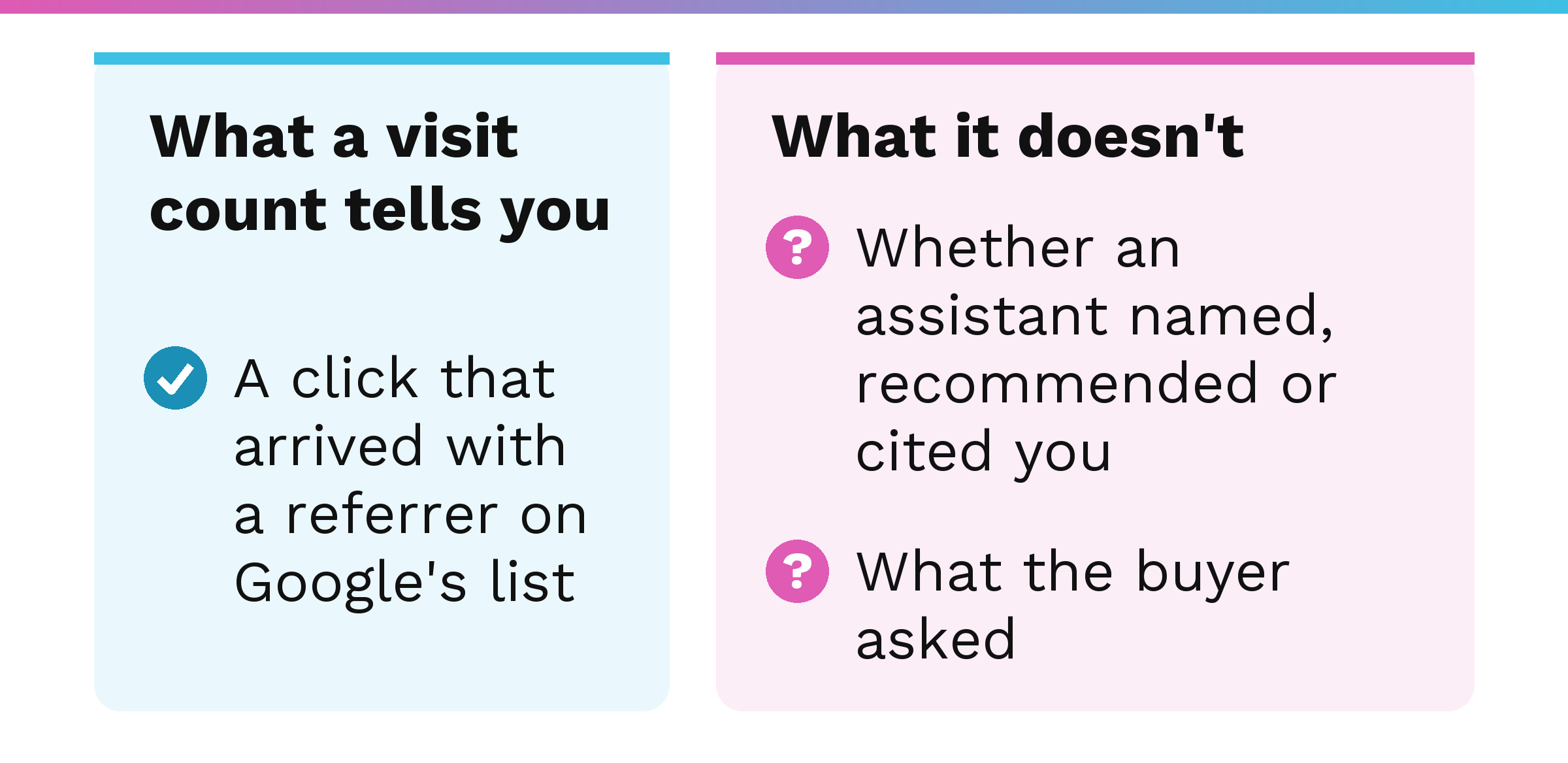
What GA4 can show you is a visit: a person who clicked through from an assistant. Google’s own description of the feature talks about “tracking user clicks.” A visit is a click that arrived, not a record of being cited or recommended. If an owner reads the visit count as a tally of assistant recommendations, the count leaves out buyers who heard an assistant name the company and never clicked. A naming with no click never becomes a visit.
If the question is which AI crawlers read your site, that is a different job, covered in how to track AI crawler activity.
Google and Bing each document a report on how your site shows up in AI answers, and can you see when ChatGPT cites your website covers what each one counts.
What is the AI Assistant channel in Google Analytics?
Google’s May 13, 2026 release note, titled New AI Assistant traffic measurement, announced that “Google Analytics now provides a dedicated way to measure and analyze traffic originating from popular AI assistants.” The channel sits in the Default Channel Group reports. The note gives no rollout date, so check your own account for the first date.
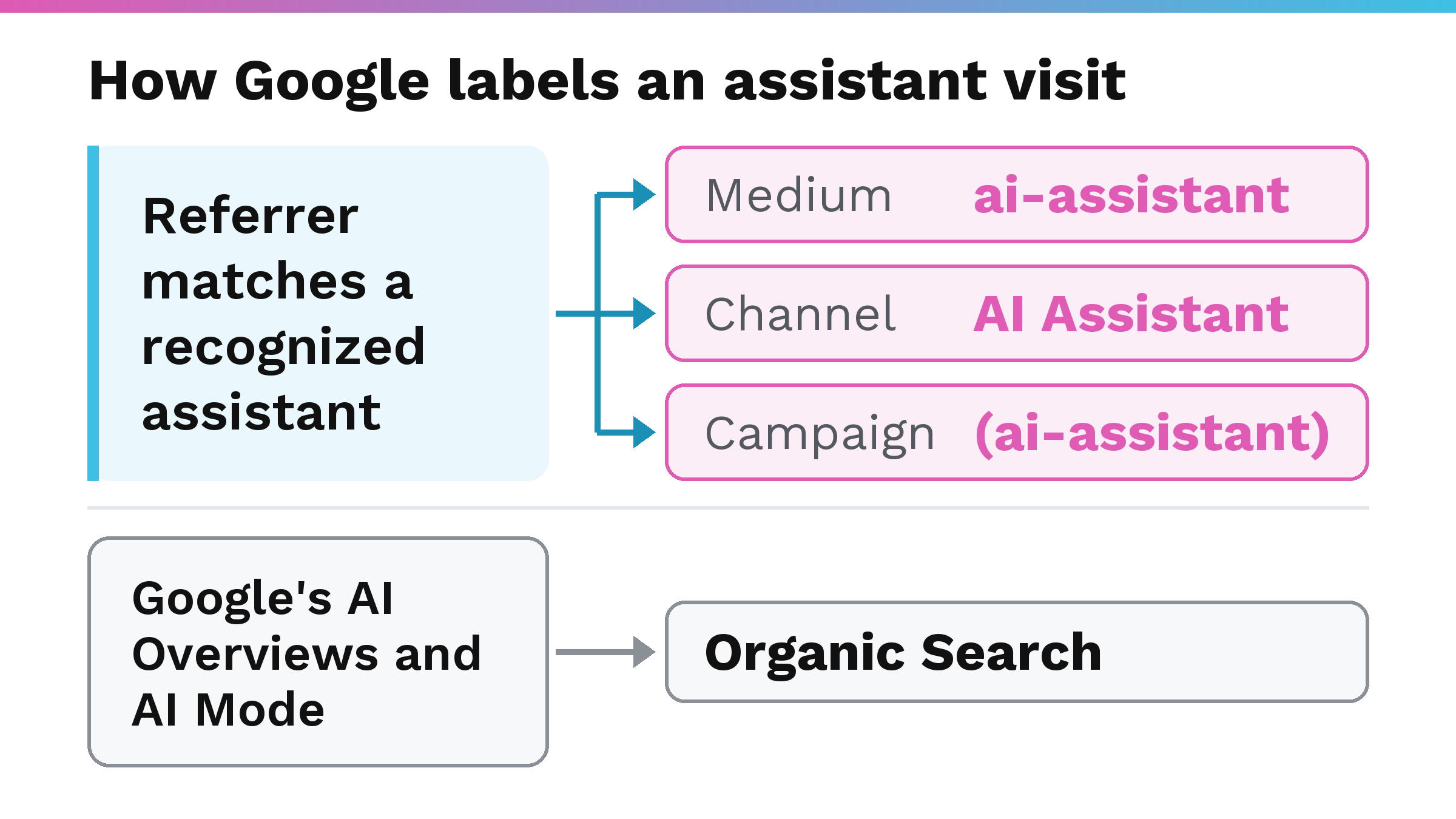
Google calls channel groupings rule-based definitions of your traffic sources, and a channel is a labeled bucket of traffic inside a channel group. The medium is the type of traffic, such as organic search, paid advertising, email, referrals or social media. When the referrer matches a recognized assistant, Google assigns the medium ai-assistant. Those visits fall under the AI Assistant channel and carry the (ai-assistant) campaign name.
Google’s Default channel group page says of the channel, “It excludes Google’s AI Overviews and AI Mode.” Those visits count under Organic Search.
Three Google pages list assistants as examples in lists that differ by page, and none of the three says its list is complete. The release note on What’s new names ChatGPT, Gemini and Claude. The Default channel group page names ChatGPT, Gemini, Deepseek, Copilot and Grok. Google’s custom channel group example names ChatGPT, Gemini, Microsoft Copilot, Claude and Perplexity. Only ChatGPT and Gemini appear in all three lists.
The default channel group cannot be edited by the property owner. Google calls its definitions its current view and says they “may evolve as the market changes.”
How do you see ChatGPT traffic in Google Analytics?
The steps below draw on Google’s help pages for the Traffic acquisition report, for changing dimensions, for filters and for date ranges.
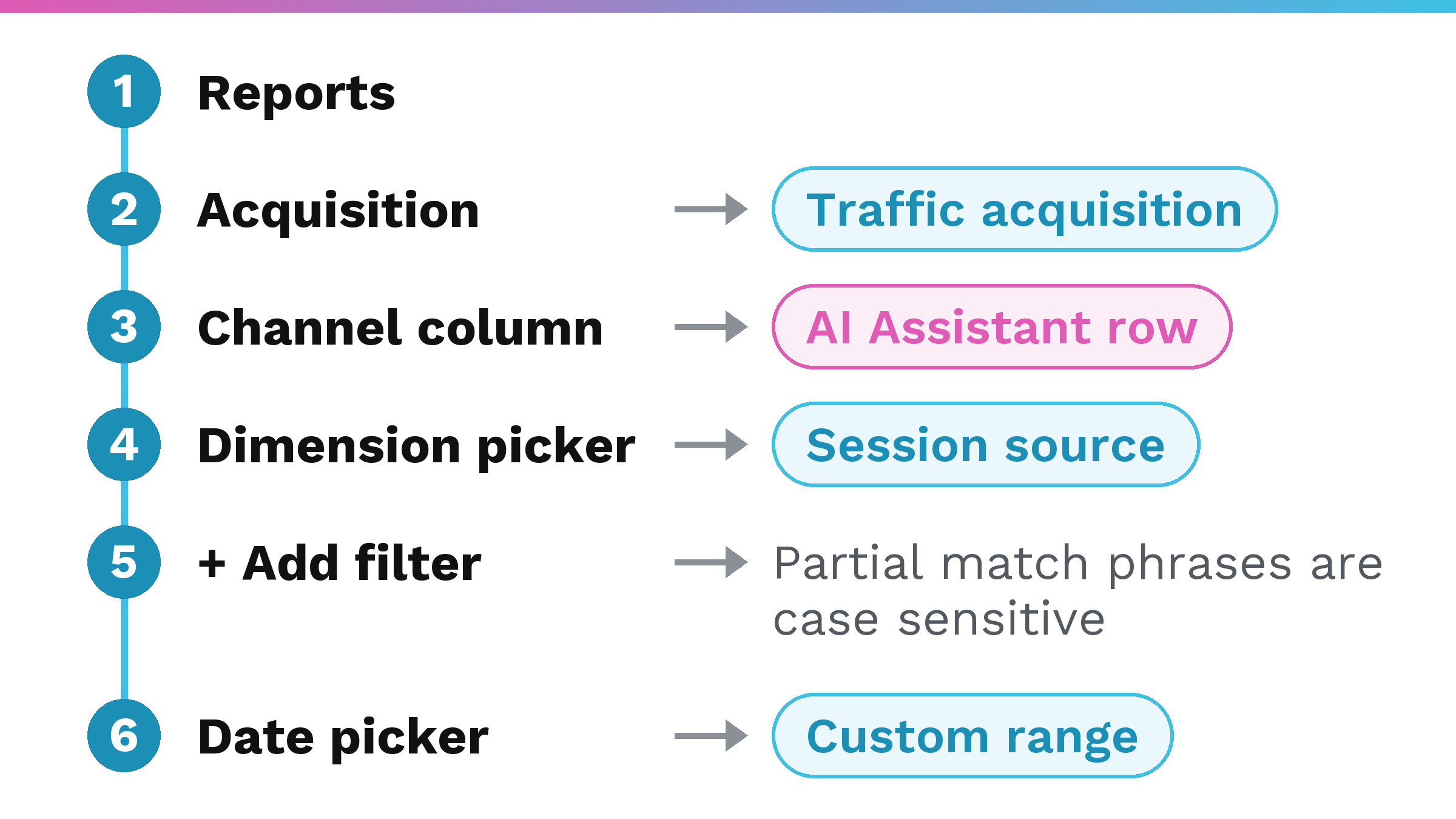
- Sign in to Google Analytics and select Reports from the left menu.
- “On the left, select Acquisition > Traffic acquisition.” If you can’t find the report, Google says “it may have been removed or isn’t in your default view” and Editors and above can add it back to the left navigation.
- The table opens on Session default channel grouping, which is the report’s default dimension. This post calls it the channel column. Look for the AI Assistant row. The word Session in the dimension name means the dimension describes a user’s most recent session, a visit, whether the user is new or returning.
- To read by source instead: “While viewing a detail report, select the dimension picker in the table on the top left.” “Browse the list of dimensions, or enter all or part of the dimension name in the search box.” Pick Session source. The source is the specific platform, website, app or online location that referred a user to your site. “Each value for the dimension appears below the dimension.” The values that appear are your own account’s.
- To narrow to one source: “Click + Add filter at the top of the report.” Then “In the ‘Dimension’ drop-down, select ‘Session source’ (or another traffic source dimension).” Choose a partial match type such as contains. Type the value exactly as your own Session source list shows it, because “Partial match phrases are case sensitive.” Then “Click Apply.” As an alternative to the filter: “To find data for one traffic source, you can search for the traffic source in the search bar above the table.”
- “When looking at a report, select the date picker in the top right.” You can pick a preset range or a custom range from the calendar. The date you pick is not saved with the report.
The channel column tells you what Google labeled as an AI Assistant visit. The Session source view lists the values your own account shows for that dimension.
Does your report show the AI Assistant channel before May 2026?
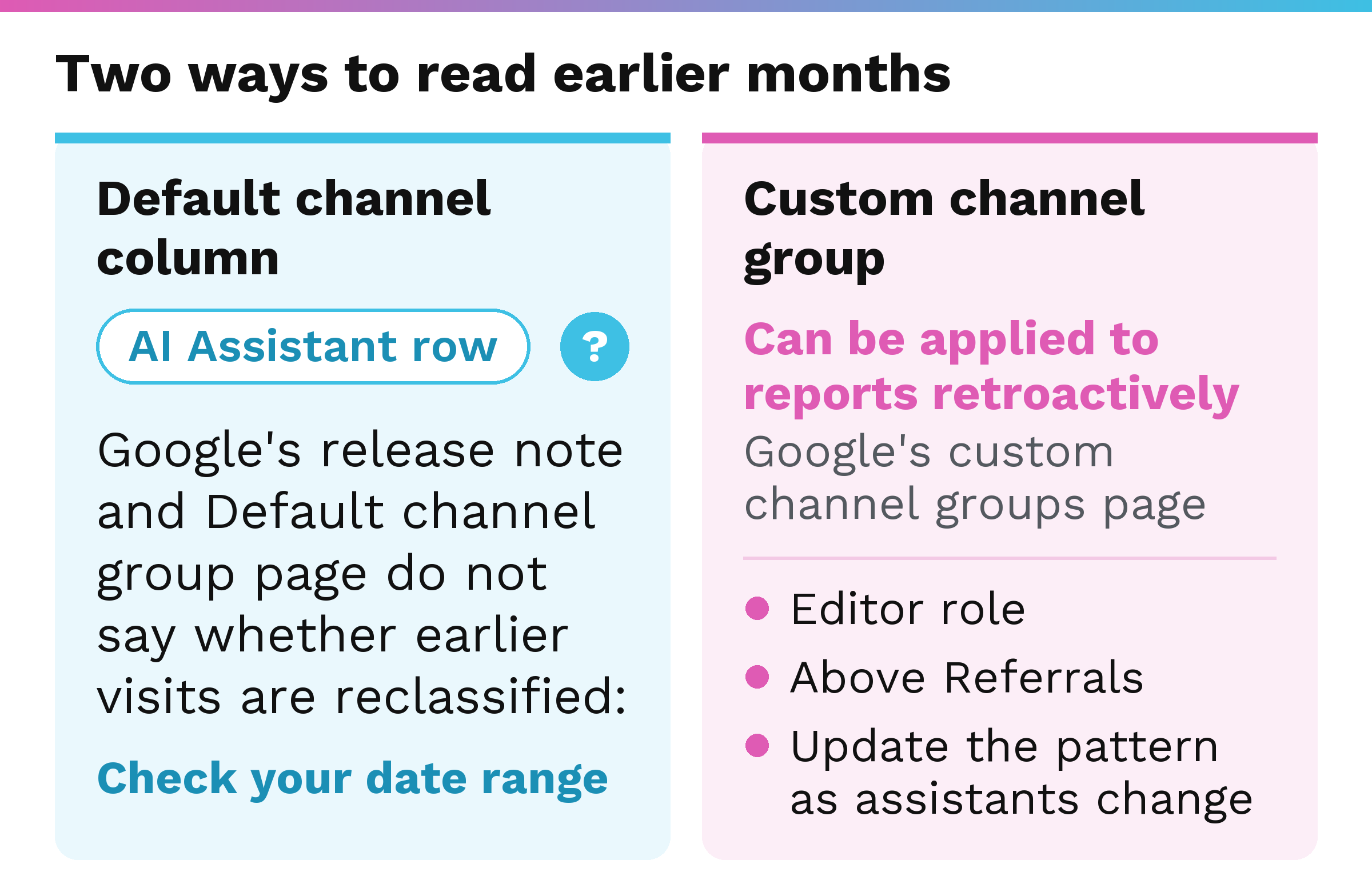
Set the date picker to a custom range that starts before May 2026 and look at the AI Assistant row month by month. Neither the release note nor the Default channel group page says whether visits from earlier months are reclassified into the AI Assistant channel. If the row shows visits for earlier months, you have them. If it does not, those two pages do not say why, and the next section covers custom channel groups.
You can also switch the same range to Session source and read what your own list shows. The data retention setting affects only explorations and funnel reports.
How do you read earlier months by assistant name?
Google’s custom channel groups page says “Custom channel groups can be applied to your reports retroactively.” Google’s own worked example on that page builds a custom channel group for AI assistants.
The group lives in Admin, under Data display, in Channel groups. You need the Editor role or above to create and edit channel groups. “Create a new custom channel group or edit an existing one.” Google’s example creates a channel named “AI assistants.” Add a condition using a regular expression, a text pattern, that matches the assistants you want.
The new channel has to sit above Referrals in the channel list. “Traffic is included in the first channel whose definition it matches given the current order of channels in the group.” Afterwards, read it in the Traffic acquisition report: “You can select your newly configured channel group as the primary or secondary dimension for the report.”
The pattern needs updating when the assistants you want to measure or their addresses change. Editing a custom channel group changes reports at once, which Google says “may lead to inconsistencies with other reports.”
The primary channel group, the property’s editable default, works only going forward when you change it. “Data will populate using the new criteria from that point forward.” Changing it is not a way to read history. The pattern has to be written, put in the right order and kept current.
What does a ChatGPT visit in Google Analytics not tell you?
What Google’s pages do not say:
- When an individual property began showing the channel
- Whether earlier visits are reclassified in the default channel group
- Whether the assistant lists on the three pages named above are complete
- What happens to a visit from an assistant that arrives without a referrer, or from an assistant not on the list
What a visit count cannot tell you:
- Whether an assistant named you, recommended you or cited you, because a visit needs a click
- What the buyer asked, since that conversation never reaches your analytics
On the buyer-question point, read what buyers are asking ChatGPT. For a measurement that looks at the answers themselves, read share of AI answers.
This describes Google’s help pages as of October 2026. Google says its channel definitions may change, and the Google pages linked in this post carry the current wording.
What should you do with what you find?
Whatever the row shows, it measures clicks. The next question is whether assistants name you when a buyer asks. Your own first step is the AI visibility check.
If you want a direct answer on where you stand, the AI Visibility Audit finds out whether AI names you or your competitor. The audit compares you with whoever is winning the answer. It ends in a written, prioritized plan you own whether or not I ever touch it again.
FAQ
Can I see when ChatGPT cites my website?
Not directly. GA4 shows you a visit from someone who clicked through from an assistant, and Google labels that visit when the referrer matches an assistant on its list. Google’s release note describes the feature in terms of tracking user clicks.
Where is ChatGPT traffic in GA4?
In GA4, open Reports, then Acquisition, then Traffic acquisition. Look for the AI Assistant row in the report’s default channel dimension. Google added that channel to the Default Channel Group reports.
Does the AI Assistant channel include Google’s AI Overviews?
No. Google’s Default channel group page says the AI Assistant channel excludes AI Overviews and AI Mode. Organic Search includes them.
Will the AI Assistant channel show visits from before May 2026?
Google’s release note and Default channel group page do not say whether earlier visits are reclassified. Check by setting a custom date range in your own account. Google’s custom channel groups page says a custom channel group can be applied to reports retroactively.
Which AI assistants does Google Analytics recognize?
Three Google pages list assistants as examples in lists that differ by page, and none of the three says its list is complete. The release note on What’s new names ChatGPT, Gemini and Claude. The Default channel group page names ChatGPT, Gemini, Deepseek, Copilot and Grok. Google’s custom channel group example names ChatGPT, Gemini, Microsoft Copilot, Claude and Perplexity. Only ChatGPT and Gemini appear in all three lists.