Is your website blocking AI crawlers? Most people check robots.txt, find nothing alarming, and move on. That check is worth running, and it will not find the thing that actually breaks this.
For the full list of AI crawlers with their user agents and whether blocking each one costs you AI-search visibility, see the AI crawler list.
The crawler asks for your page. Something in front of your server says no. The assistant cites whoever did answer. Nothing about your writing, your structure or your markup ever enters the decision, because none of it was read.
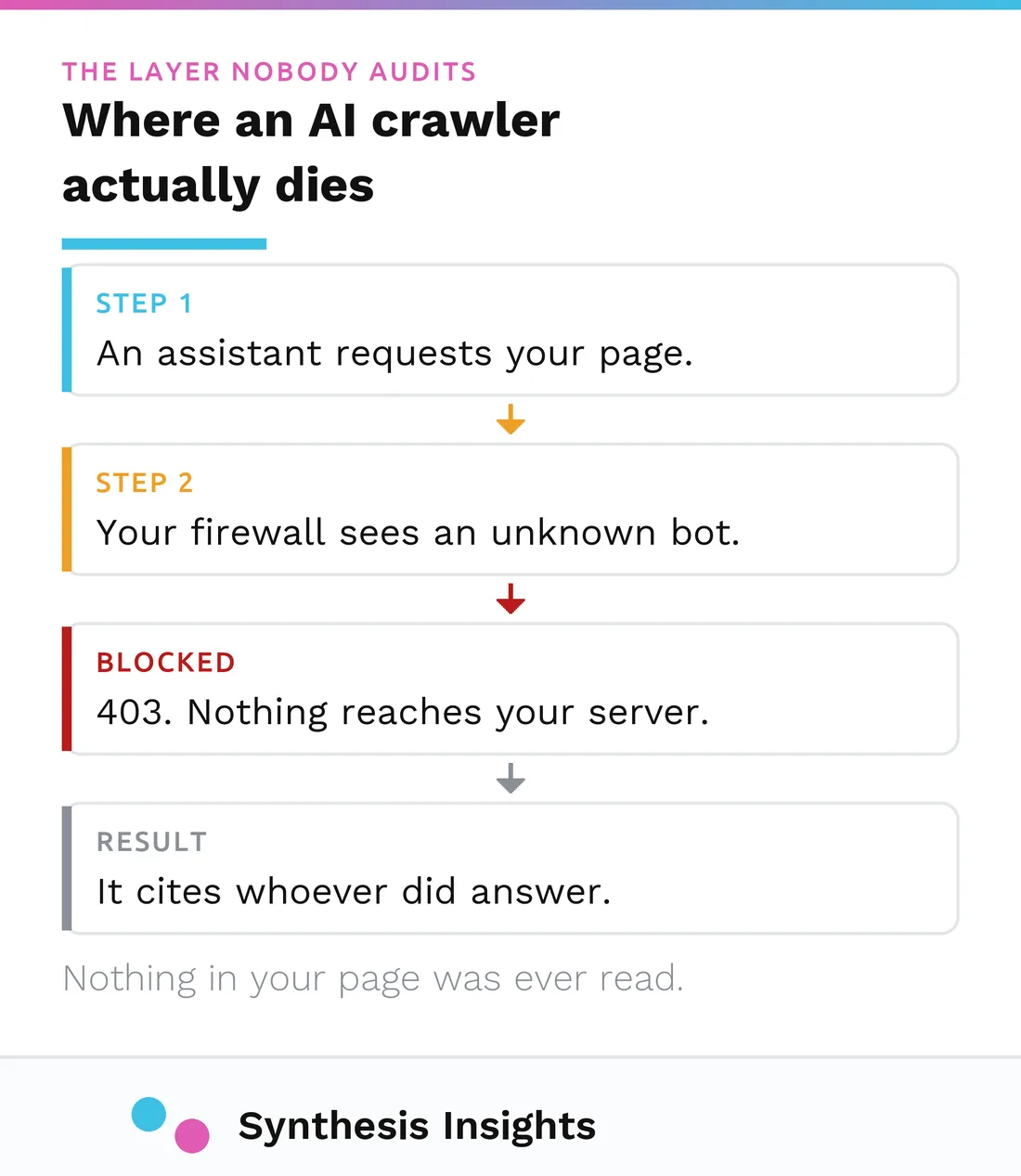
In the sites I look at, this is the most common place AI visibility quietly breaks, and it is the layer almost nobody audits. It is also about to change underneath a lot of sites, on a date that is already published.
This post is about the part that comes first: whether the crawler can reach you at all.
What changes on September 15
Cloudflare sits in front of a large share of the web, and it has moved to a permission-based model for AI crawling: AI companies are expected to ask for permission instead of taking content by default. That is a genuine shift in how the open web works, and it is worth understanding whether or not you use Cloudflare, because infrastructure defaults tend to travel.
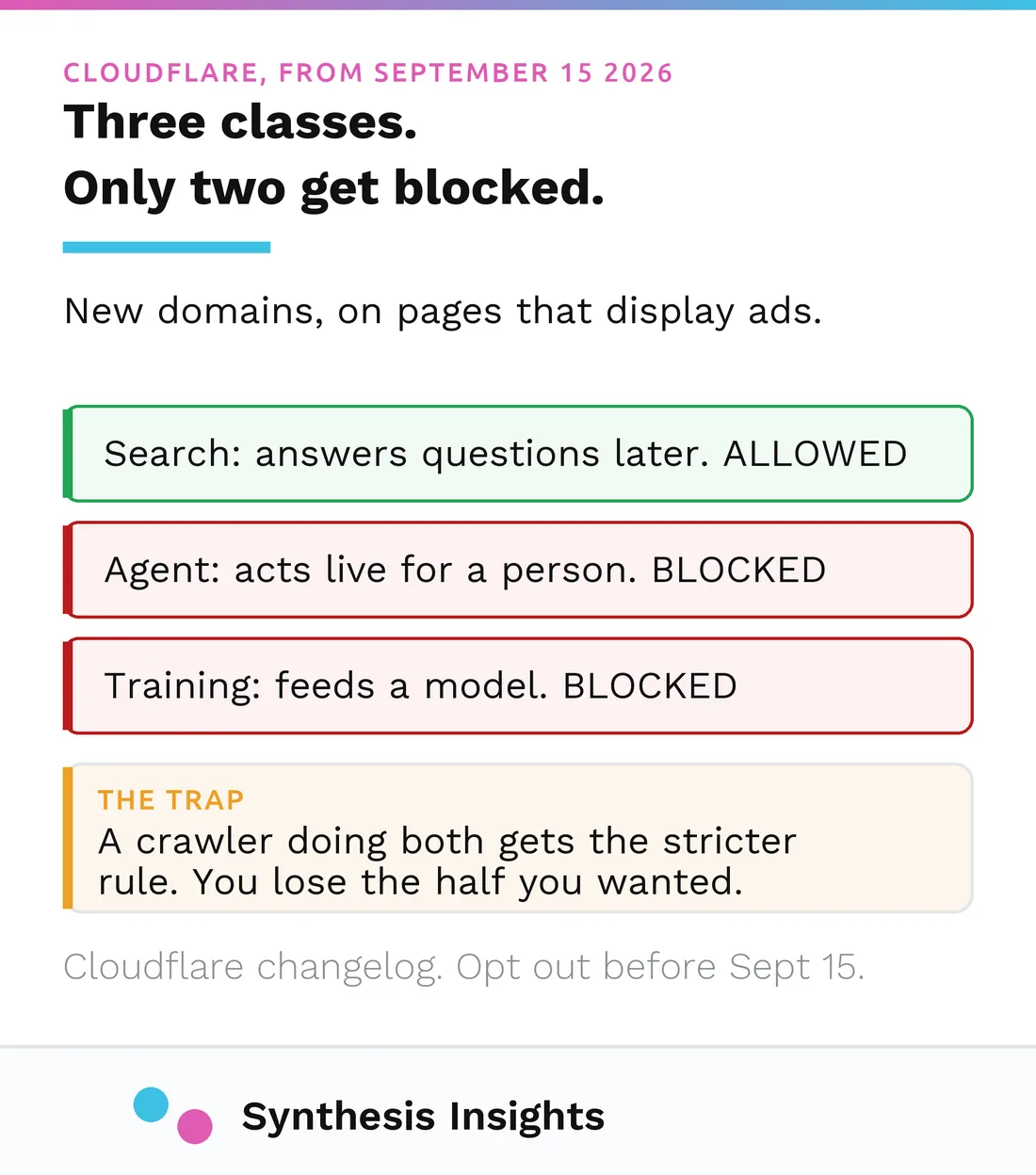
The specific change has a date on it. Cloudflare’s changelog sorts AI traffic into three classes. Search covers crawlers that index your content so they can answer questions about it later. Agent covers real-time activity on a person’s behalf, like chat fetch bots and browser-use agents. Training covers crawlers taking content to train or fine-tune a model.
From September 15 2026, for domains added to Cloudflare from that date onward, its stated default is that bots classified as Training or Agent are blocked on pages that display ads, while Search remains allowed.
The widely repeated version of this story is wrong. You will find posts asserting that Cloudflare blocks ChatGPT’s and Perplexity’s search crawlers by default. Cloudflare’s own documentation says Search remains allowed. If you are going to make an infrastructure decision, make it from the changelog rather than from a summary of a summary.
The genuine risk sits in a single sentence further down that document: multi-purpose crawlers, the ones that combine search and training behaviour, are affected by the new block on Training. So a crawler you want for visibility can be caught by a rule you set for training, because one bot is doing both jobs. That is not a hypothetical, and it is not something a robots.txt audit will show you.
How to actually check, in the order that matters
Work these in order and stop at the first one that fails, because a failure at any layer makes the ones below it irrelevant.
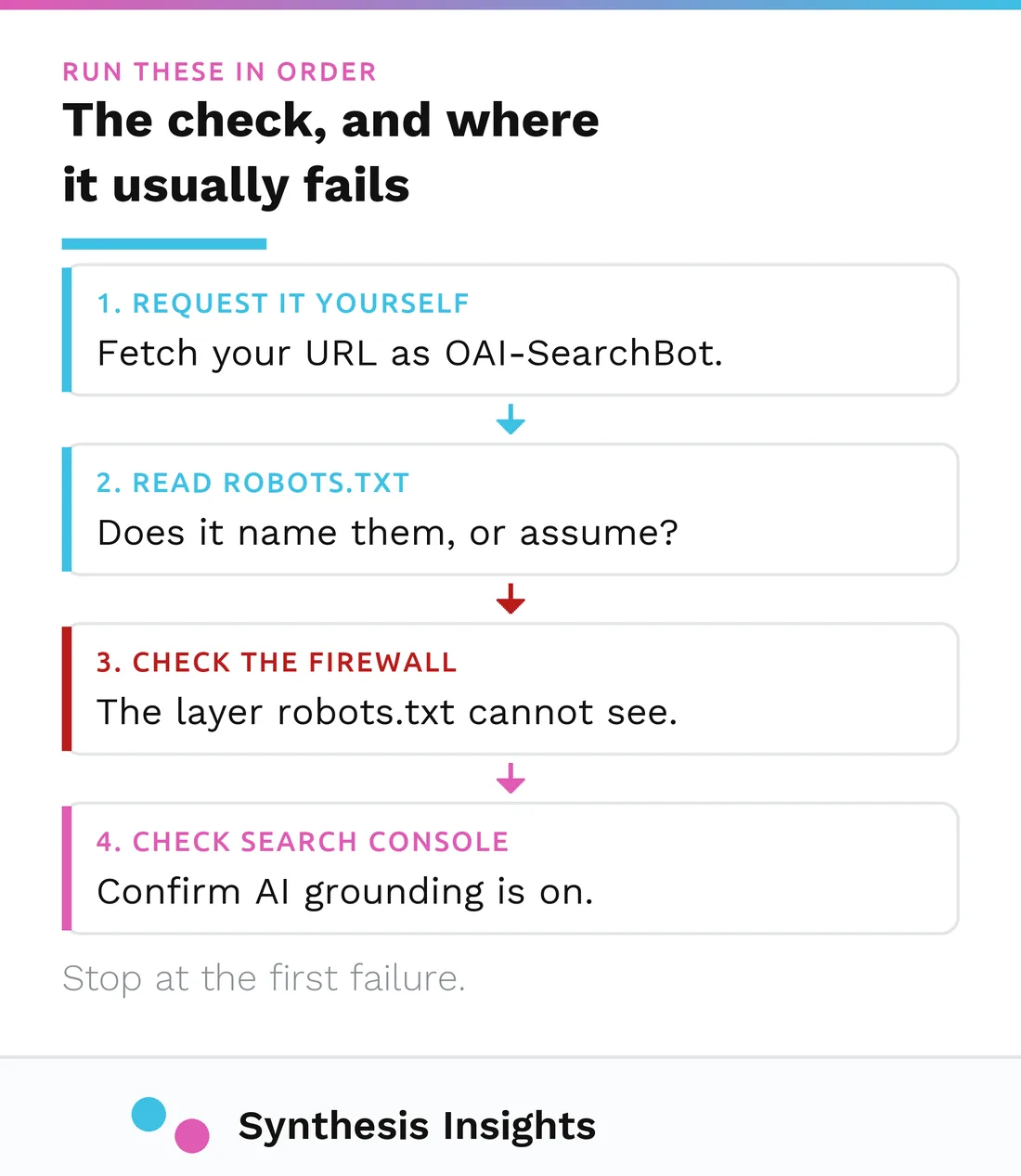
1. Ask your own page as the crawler. Every crawler announces itself with a name, and your server can be configured to treat that name differently from a human visitor. So ask as the crawler and see what comes back. On a Mac or Linux machine, paste this into Terminal with your own URL:
curl -sI -A "OAI-SearchBot" https://yoursite.com/ | head -1200 means the door opened. Anything else, most often 403 or 404, is your answer and it is the whole answer. Run it again swapping OAI-SearchBot for PerplexityBot, then for Googlebot. OAI-SearchBot is ChatGPT’s search crawler and PerplexityBot is Perplexity’s. The whole thing takes about a minute and almost nobody does it.
2. Then read robots.txt, and read it for names. Both crawlers respect the file, which means a permissive-looking file that never mentions them is a file you are trusting to a default. Name them explicitly. A wildcard is a hope, not a setting.
3. Then look at the layer robots.txt cannot see. OpenAI states that your host and CDN have to allow traffic from its published IP ranges. Perplexity states that a site behind a firewall may need its bots whitelisted by hand. Bot protection is doing exactly what it was bought to do when it turns away an unfamiliar crawler, which is why this failure is so quiet: nothing is broken, and the block never reaches your logs as an error you would notice.
If you are on Cloudflare, this is also where you check which of the three classes each bot is landing in for your zone. Do not trust anyone’s published mapping, mine included. Cloudflare does not publish a crawler-to-class table, and your dashboard is the only place that knows what is actually happening on your domain.
4. Then check the toggle you may not know exists. Google Search Console carries a control for whether your site can be used to ground generative AI features. Sites that opt out do not receive traffic or impressions from those features. On a site somebody else configured, go and look.
Reading what you find
A non-200 for a crawler user agent is not ambiguous and does not need interpretation. It is the finding, and it outranks everything else on your AI-visibility list until it is fixed.
A 200 is weaker evidence than it feels like. It tells you the door opened for that agent, from that IP, at that moment. It does not tell you that an assistant chose to fetch you, and it certainly does not tell you that you were cited. Access is a floor, not an outcome. The reason it is worth the minute is that everything else you might spend money on is wasted while it is failing.
What this cannot tell you
Three honest limits, because the topic attracts more confidence than the evidence supports.
Cloudflare’s changelog states the new default for newly onboarded domains. It does not state what your existing zone is set to today, and I am not going to guess on your behalf. Check the zone.
Nobody publishes an authoritative mapping of named crawlers to Cloudflare’s three classes, so any table you see claiming to have one is someone’s inference. Treat it as a hypothesis and verify against your own dashboard.
And access is not visibility. Fixing a 403 does not make an assistant recommend you. It makes you eligible to be considered, which is the difference between being in the running and never being in the room. What gets you named once you are reachable is mostly the authority work of off-page SEO, which mattered long before any of this.
What to do this month
Run the crawler request against your own site. It is a minute of work and it either clears the layer or hands you the most important finding on your list.
If you are on Cloudflare and your domain is new or about to be, put September 15 in the calendar and check your AI settings before it arrives rather than after.
And if you do find a block, fix it before you spend anything on content structure, schema, or any of the other things that get sold as AI visibility work. There is no point optimising a page that nothing can fetch, and once it is reachable the next question is whether it converts the people who land on it.
This is the first thing I check when a company asks why AI assistants never name them. It is not usually the whole answer. It is surprisingly often the first one.
On the content side of the question, most of what gets sold as AI optimization is not required at all, and Google says so in its own documentation. That is a separate post: AEO vs GEO vs SEO.
And if you would rather not run any of this yourself, checking access is step one of the AI Visibility Audit I run: what the assistants actually say when your buyers ask, which competitor they name instead, and why.