The Google Ads conversion window is the period after an ad interaction during which a conversion is recorded, and it is set separately for each conversion action. For Search and Display campaigns, the default is 30 days if nobody changes it, and Google puts the range at 1 to 90 days, depending on the source of conversions. To see how long your own conversions take, segment a report by Conversions > Days to conversion with a date range that ended at least 30 days ago, or longer for a longer conversion window. Recent weeks can look weaker than they will, because some people who clicked have not converted yet.
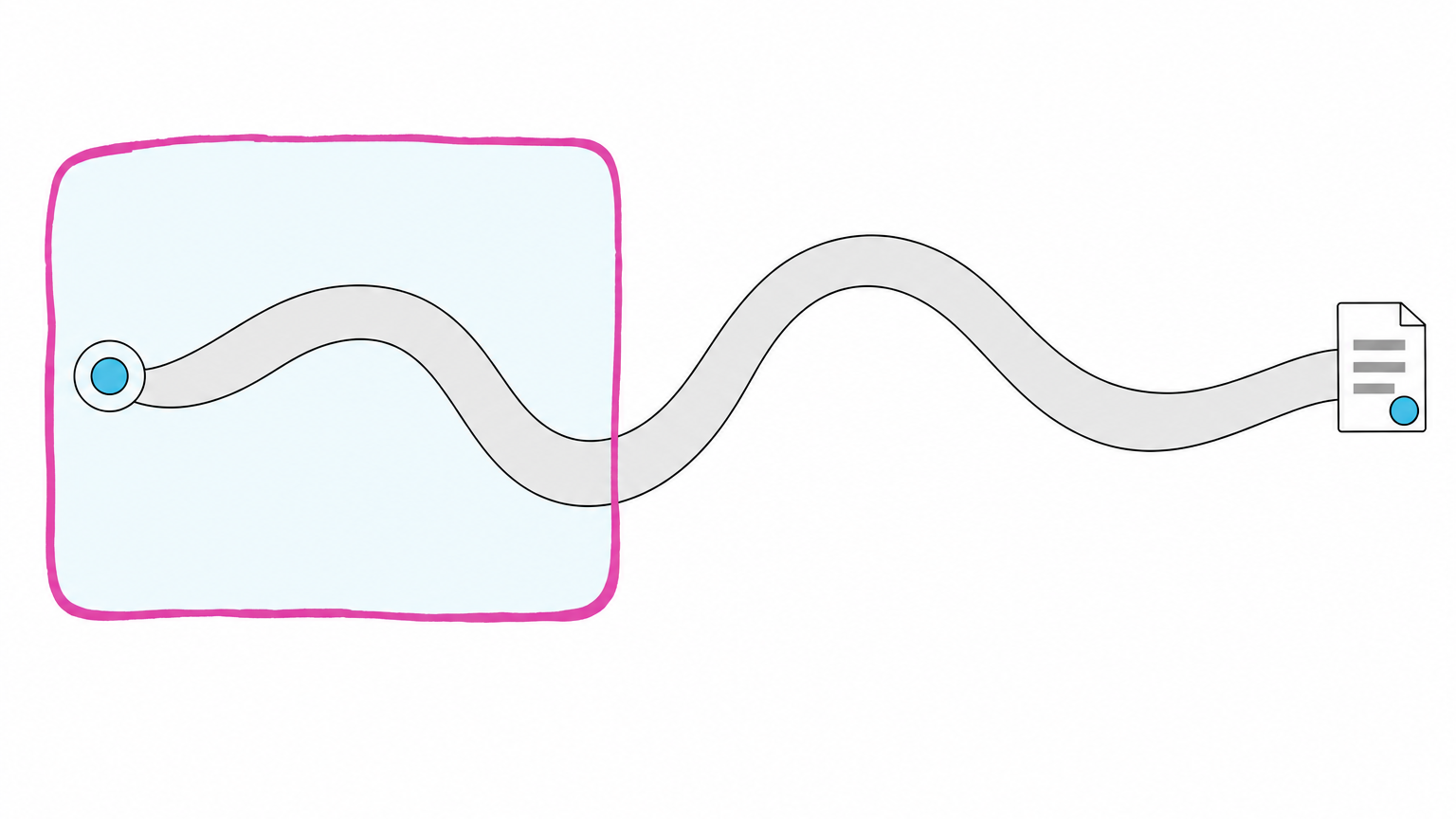
You run paid search for a manufacturer whose deals take longer than a quarter to close, and the owner reads last month’s conversions and cost per conversion. Google’s own pages say recent performance “might not look as strong” and that it may appear that you have fewer conversions and a higher cost per conversion. A conversion that lands outside the window won’t be recorded and won’t appear in your reports. If you run B2B PPC on a sales cycle like that, a campaign judged on those numbers can be cut for looking worse than it is.
What is the conversion window in Google Ads?
On Google’s About conversion windows page, the conversion window is the period after an ad interaction “during which a conversion, such as a purchase, is recorded in Google Ads.” You set the window for each conversion action, at setup or any time after. It can be edited for webpage, imported, in-app action or phone call conversions.
For Search and Display campaigns, a 30-day default window applies when you don’t customize it. You can set the window “anywhere from 1 to 90 days, depending on the source of conversions.” Google calls the setting useful for “businesses that sell products with a buying cycle that doesn’t fit the default 30-day conversion window.”
The window belongs to each conversion action, so the one that matters is the window on the action you treat as your lead. Which action that should be is its own question, covered in which conversion action to optimize.
What happens to a conversion that comes after the window closes?
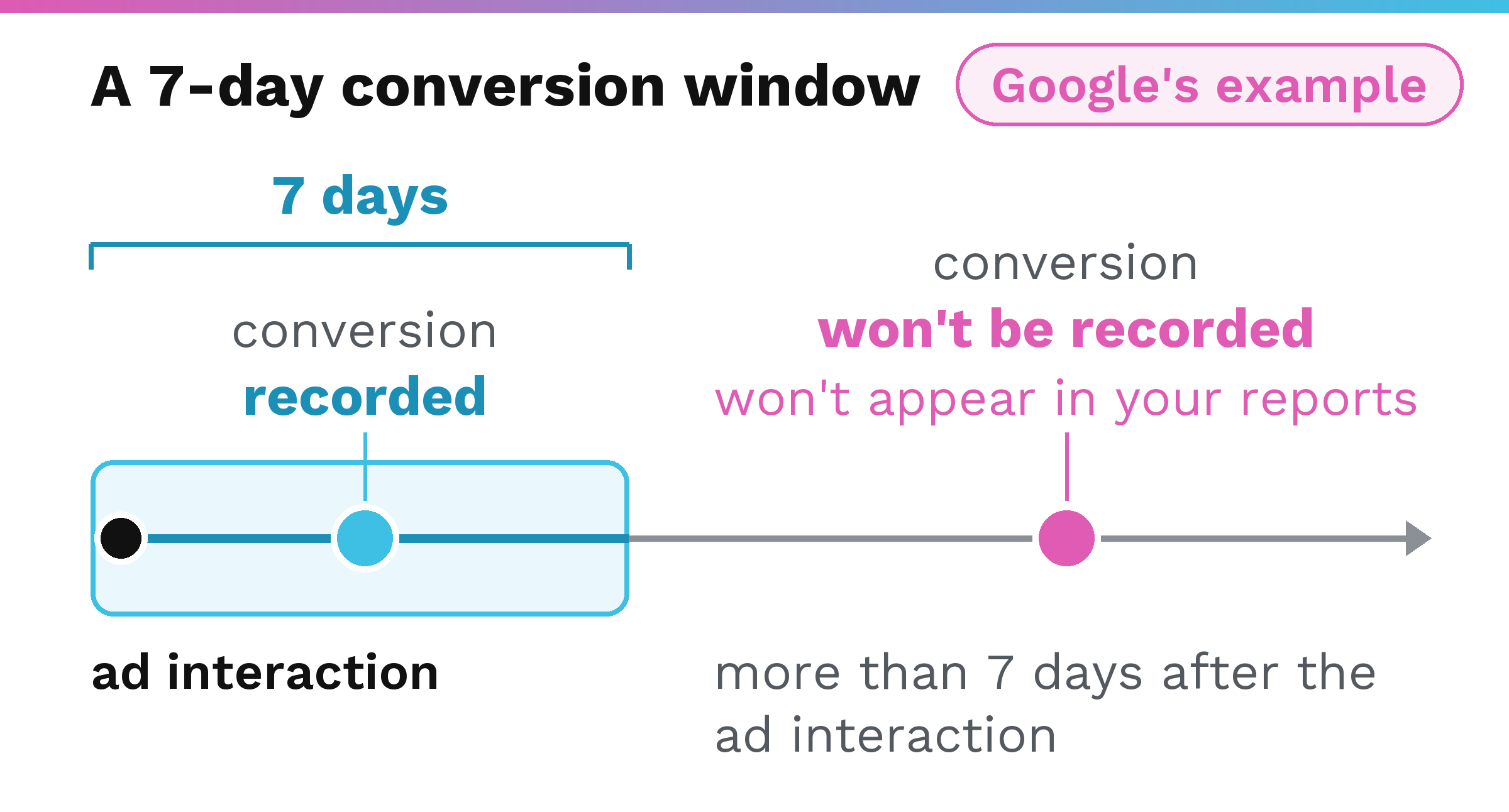
Google’s About conversion windows page gives an example: “If you set your conversion window to 7 days, any conversion that happens more than 7 days after the ad interaction won’t be recorded. This means it won’t appear in your reports.” Google’s Help page on how long customers take to convert states the same logic up to the ceiling: “conversions can be reported up to 90 days after the click, depending on the conversion window you’ve chosen.”
Changes to the window apply going forward. Google says “any changes apply to all conversions going forward” and that conversions that fell outside an earlier window “won’t be retroactively counted.” Lengthening the window today does not bring back conversions that already landed past it.
In practice, a window shorter than your real conversion lag hides the late conversions from your reports, which is why you measure before you decide.
How do you measure your own conversion lag in Google Ads?
Google’s name for the gap between the click and the conversion is conversion lag, and its pages also call it conversion delay. Google says it is “important to understand how long it takes customers who see and click your ad to complete the conversion, and how that impacts the data you see in your account.”
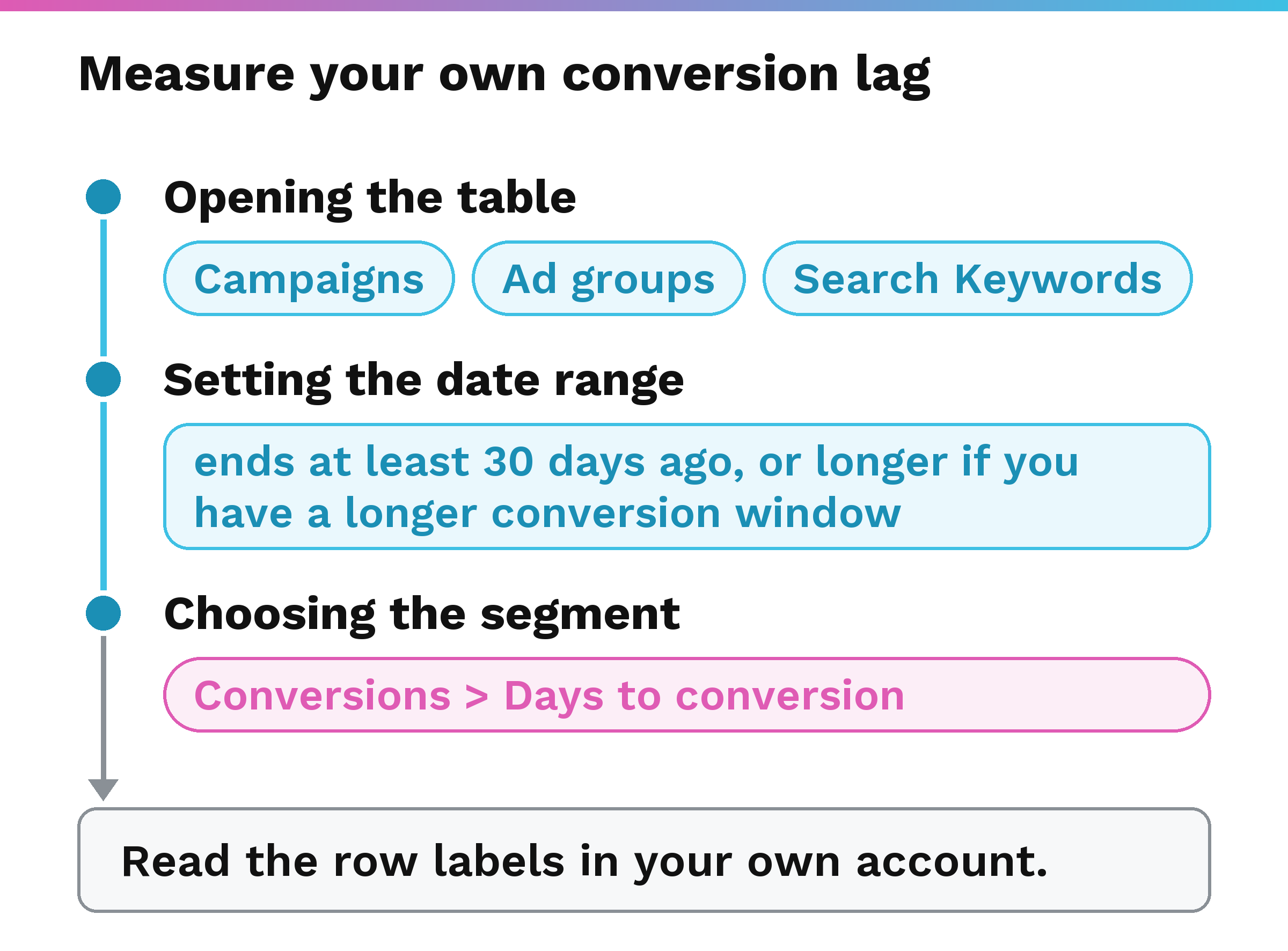
Opening the table, setting the date range, and choosing the segment come from Google’s Help page on how long customers take to convert.
- Open Campaigns, Ad groups or Search Keywords from the left section menu of your Google Ads account.
- Set the date range so it ends at least 30 days ago, or longer if you have a longer conversion window, so the report has complete conversion data. With a 90-day window, which Google allows depending on the source of conversions, our reading of Google’s “or longer” instruction is to end the range at least 90 days ago.
- Open the segment control and choose Conversions > Days to conversion. A segment is a control that splits the rows of a report table by a dimension, and Google says this one “segments the conversion columns in your report into up to 19 rows.”
- Google’s Find your conversion lag reporting data page describes it as a way “to get a sense of how many days it takes to count conversions.” Read the row labels in your own account.
- Check which window your conversion action is set to. In Google Ads, open Goals, then Conversions, then Summary, find the conversion action, and select Edit settings, as Google’s About conversion windows page describes. The Click-through conversion window is in the Settings tab.
If the segment shows conversions still arriving late in the window you have set, our reading is that this is the case Google’s About conversion windows page describes for a buying cycle that does not fit the default, and the decision to lengthen the window is yours. A change applies going forward.
What does a sales cycle longer than a quarter do to these numbers?
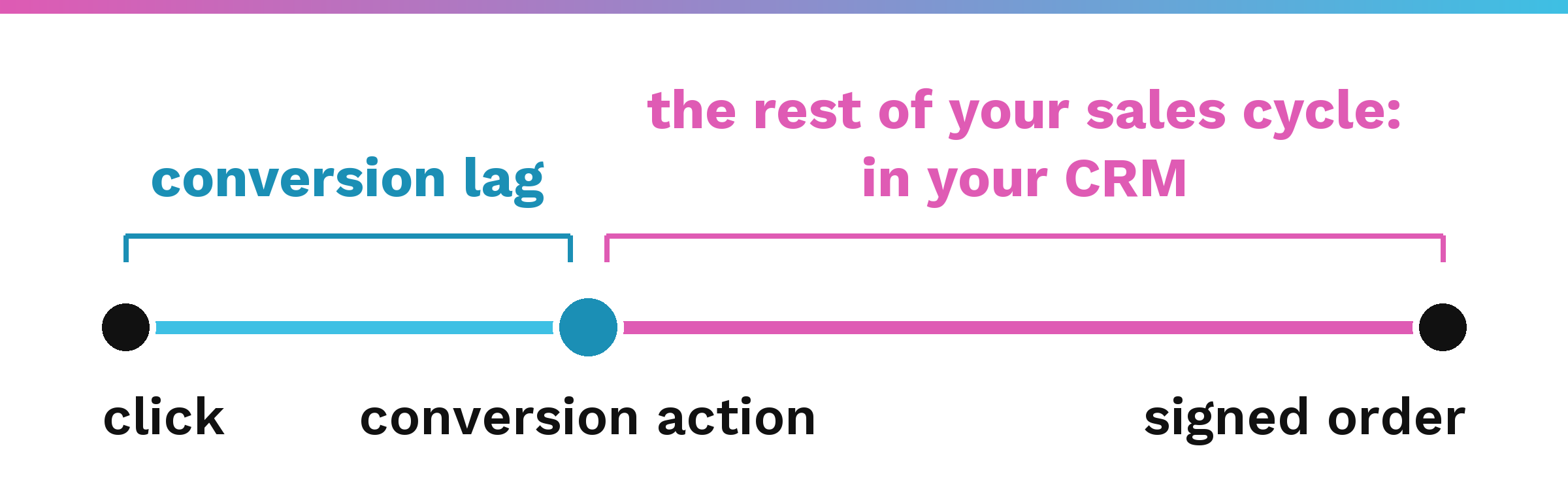
Google defines conversion lag as the delay between when people click an ad and when they perform “a specific conversion action,” as its About conversion lag reporting page puts it. Google’s Find your conversion lag reporting data page lists Days to conversion among the locations in your account where you can view conversion lag reporting data. Our reading is that the segment shows how long the Google Ads clock runs in your own account.
If that action is a form fill or a call, the segment tells you how long the form or the call took to arrive. The months between that conversion and a signed order are a second clock, and its record is in your CRM. In that case, the rest of a longer cycle runs on that second clock, not the one Google Ads measures. What the buyer does between the conversion and the signed order is the B2B customer journey.
Why does recent performance look weaker in a long-cycle account?
Google explains that “your recent performance might not look as strong, because some of the people who clicked your ad haven’t converted yet.” As the Find your conversion lag reporting data page states, “Conversion lag impacts recent data more than old data.” Google’s About conversion lag reporting page notes that lag can sometimes cause cost per acquisition, or CPA, to look inflated and return on ad spend, or ROAS, to look deflated.
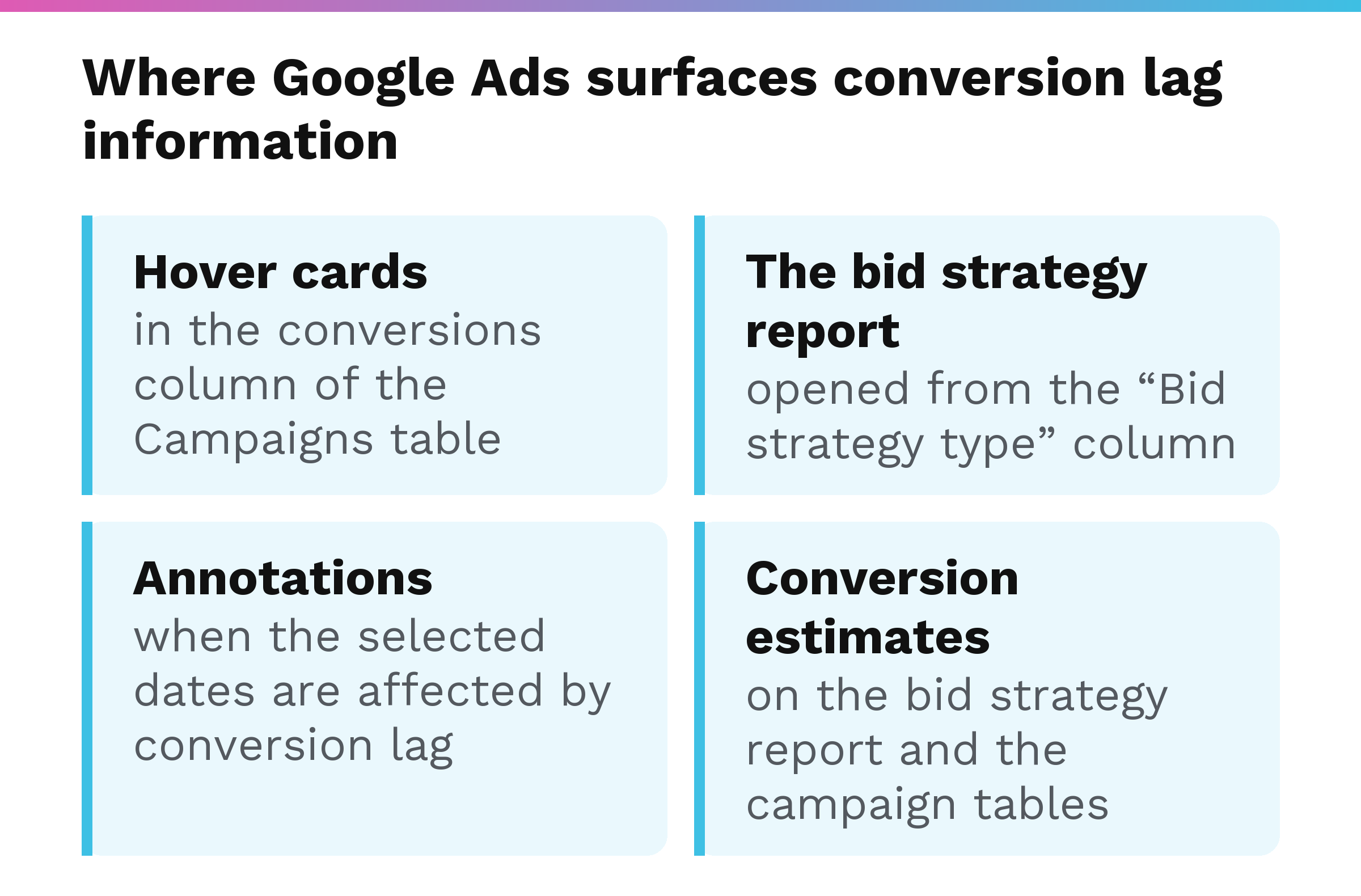
Google’s Find your conversion lag reporting data page names the following places. A hover card, the box that appears when you hover the pointer over a number, appears on a campaign in the conversions column of the Campaigns table. The bid strategy report is opened from the “Bid strategy type” column. Annotations appear on the page when the selected dates are affected by conversion lag. Google’s Help page on how long customers take to convert adds that conversion estimates and conversion value estimates appear on the bid strategy report and the campaign tables, and when the period includes conversion lag they “reflect how many more conversions or conversion value you might get.”
Google’s About conversion lag reporting page lists App campaigns for install, App campaigns for engagement, Search campaigns, and Performance Max campaigns as eligible for conversion lag reporting. The same page says this reporting shows conversion delay information on key metrics such as CPA or ROAS, used to “predict how actual CPA or ROAS values may change once adjusted for conversion lag.”
Compare two periods only after both have had time for their conversion lag to play out, which is the same reason behind Google’s date-range instruction in the check above.
What don’t Google’s pages tell you about conversion lag?
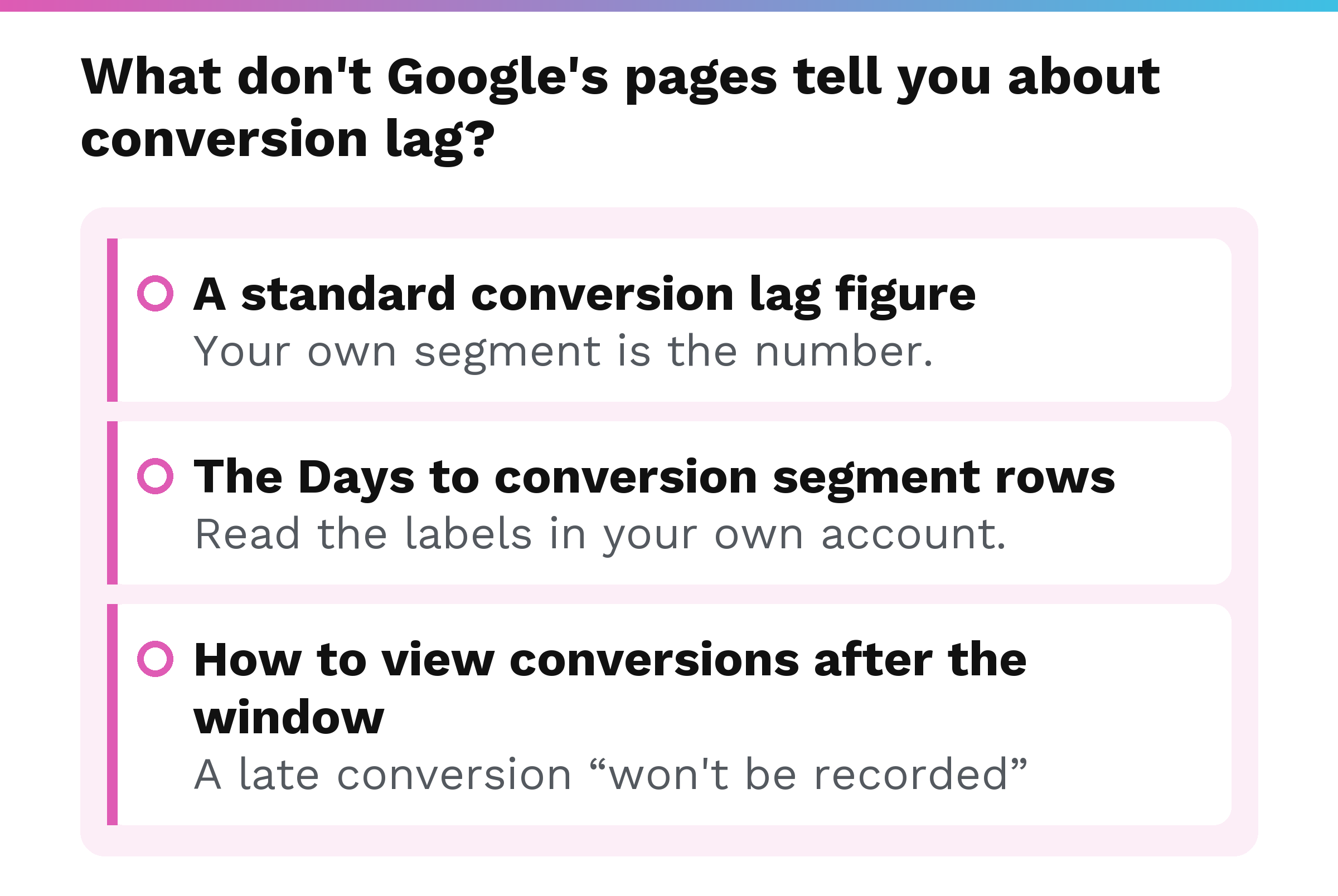
- None of the Google Help pages this post draws on gives a normal or standard conversion lag figure, and this post gives none either. Your own segment is the number.
- The pages do not list what the segment’s rows are. Read the labels in your own account.
- Beyond Google’s words that a late conversion “won’t be recorded” and that changes are not applied retroactively, the pages do not describe a way to see it later.
The steps and wording in this post are as Google’s Help pages read in October 2026, and Google’s interface labels can change.
What should a manufacturer do once it knows its conversion lag?
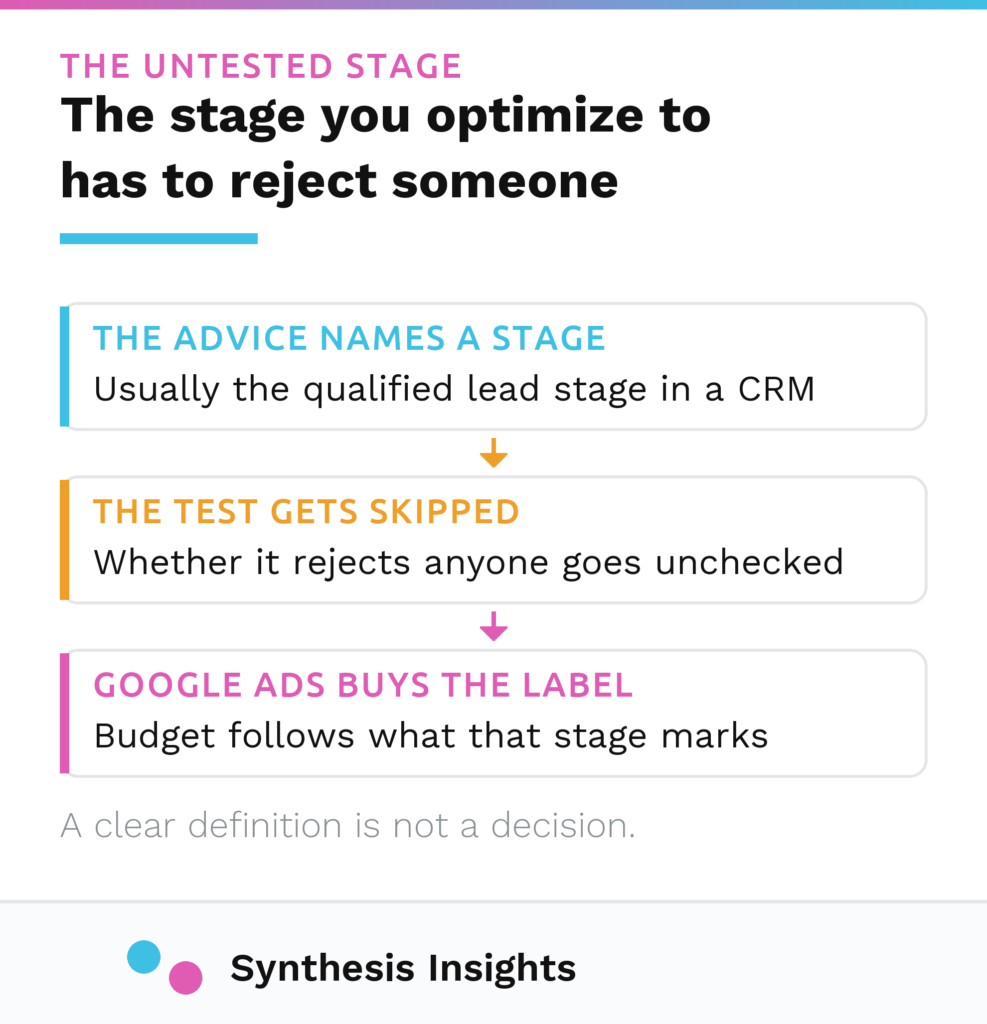
Measure the Google Ads clock with the Days to conversion segment and set the window on purpose. The question an owner is really asking is whether the clicks became orders, and that answer lives in your CRM stages. Which CRM stage is worth sending back to Google Ads is the subject of Google Ads lead quality.
We are a B2B PPC agency for manufacturers. We measure paid media against closed revenue in the CRM, and our reporting opens with what closed.
FAQ
What is the default conversion window in Google Ads?
For Search and Display campaigns, the default is 30 days if you do not customize it. Google applies that default when a new conversion action is created and the Click-through conversion window is left unchanged.
What is the longest conversion window Google Ads allows?
Google allows a conversion window anywhere from 1 to 90 days, depending on the source of conversions. To see what your own conversion action uses, open that conversion action’s Edit settings in Google Ads and look at the Click-through conversion window.
If I lengthen my conversion window, will Google Ads count conversions it already missed?
No. Changes to the window apply going forward, and a conversion that fell outside the earlier window is not counted retroactively.
Is conversion lag the same as conversion delay?
Yes. Google’s About conversion lag reporting page says conversion lag reporting is also known as “conversion delay.”
Why should the Days to conversion report end at least 30 days ago?
It is Google’s instruction for the Days to conversion segment, so the report has complete conversion data. Google adds that you end the range even further back if you have a longer conversion window, and its page gives no number for how much further.