Can an AI agent actually use your website? Chrome now ships a test for it, called Agentic Browsing, built into the Lighthouse panel you already have. It takes about two minutes to run, and a fair amount of the advice written about it since May will cost you time.
The first site I ran this against failed, on a single element nobody would have found by looking at the page. What follows is what the test actually does, based on running it rather than reading about it, and the order to fix things in.
Verified against Lighthouse 13.4.1 on 17 August 2026. This is an experimental category and Google is still changing it, so check the version in your own report.
What the test is
Google added a category called Agentic Browsing to Lighthouse, the auditing tool built into Chrome. It scores how ready your page is for an AI agent to read it, understand it, and act on it without a person driving.
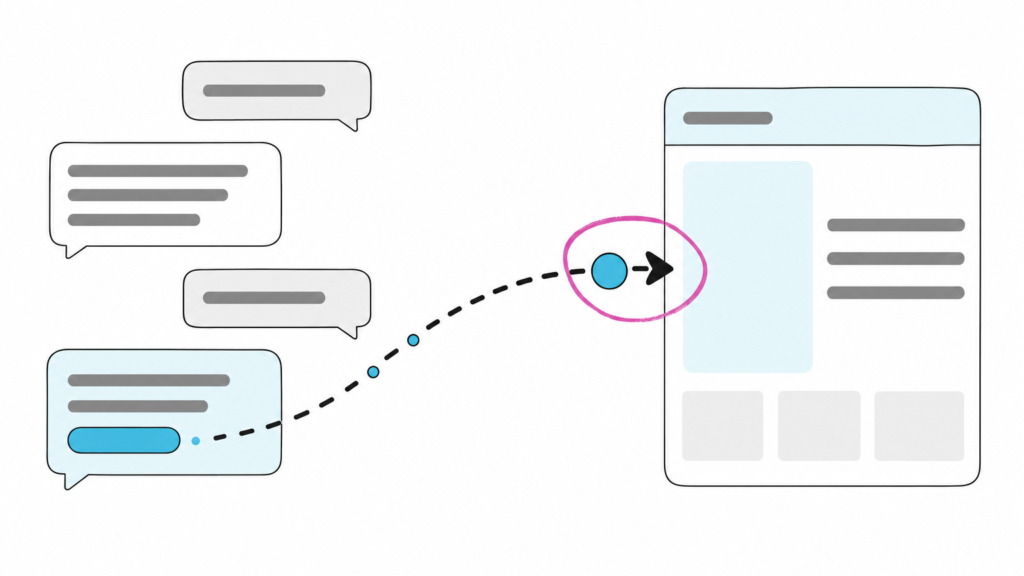
The visitor profile is what changed. An assistant acting for a buyer opens your site, reads it, compares you against two competitors, and tries to complete something: request a quote, start a booking, find a spec sheet. It’s not a search crawler indexing you for later. It is a visitor trying to finish a task right now, and it either can or it can’t.
To run it: open the page you care about, right click, choose Inspect, click the Lighthouse tab, tick Agentic Browsing, untick everything else, hit Analyze.
One thing people misread immediately. This is not a score out of 100. It is a ratio, like 2 of 2 or 3 of 3, showing how many readiness checks your page passed. A low number is not a penalty. It is a list.
Which pages should you test?
Not just the homepage, which is where most people stop.
Test the pages where a task happens: your contact or quote form, a product or spec page, a booking flow, anything with a form or a filter. That is where an agent is trying to finish something on a buyer’s behalf, and where failing a check has an actual consequence.
The homepage is worth running because your header and footer appear on every page, so a fault there is a fault everywhere. But a clean homepage tells you very little about whether an agent can request a quote.
Why bother, if agents are not sending you traffic yet
This is the fair objection, and it deserves a straight answer rather than a prediction.
Nobody can currently show you what agent traffic is worth to your business. The measurement does not exist, and anyone quoting you a number for it is making it up.
But here is what makes the work pay for itself regardless. Every fix in this audit is an accessibility fix. An agent reads your page through the accessibility tree, which is the same structure a screen reader uses. A button with no readable name is invisible to an AI agent and invisible to a blind customer, for identical reasons, today.
So the work has a return whether or not the agentic web arrives on schedule. If a compliance argument never got this prioritised at your company, the agent argument might, and the outcome is the same either way.
That reframing is the honest case for doing it. Not “agents are coming”, but “this was overdue anyway and now there are two reasons”.
What it actually checks, which is less than you have been told
Nearly every guide about this audit lists six checks. That’s true on paper and misleading in practice.
Here is a real Lighthouse 13.4.1 report, run against a live site:
agent-accessibility-tree      score=0     binary
cumulative-layout-shift       score=1     numeric
llms-txt                      score=null  notApplicable
webmcp-registered-tools       score=null  notApplicable
webmcp-form-coverage          score=null  notApplicable
webmcp-schema-validity        score=null  notApplicable
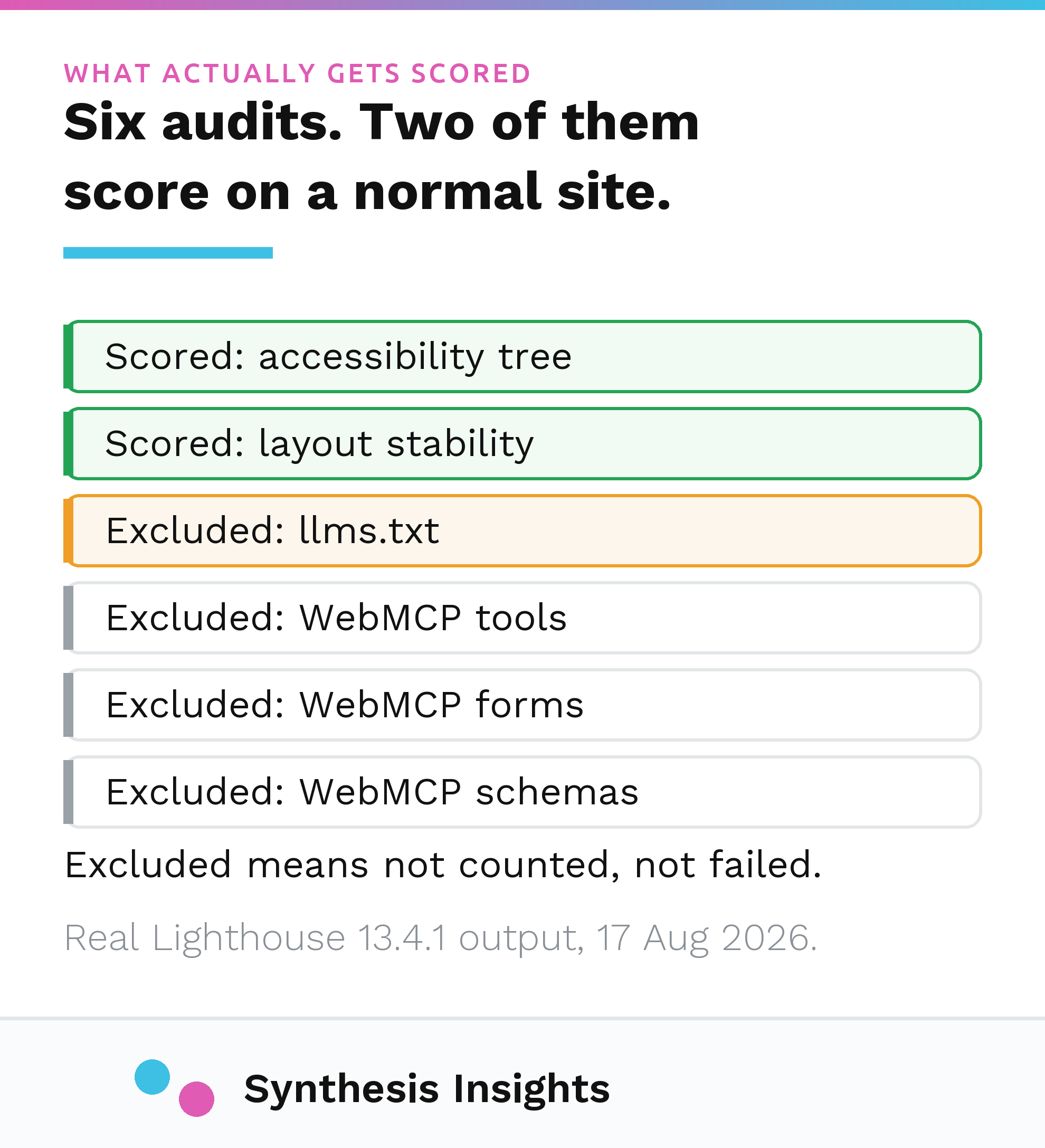
Four of the six returned notApplicable. They were excluded from the score entirely. The site was graded on two checks and passed one of them.
The three WebMCP audits only return a result if you have registered for Google’s WebMCP origin trial. Almost nobody has. Unless you run a checkout or booking flow you specifically want agents completing on their own, those three will never say anything to you.
So for a normal business website this is a two or three check audit. Knowing that changes what you do with the next hour.
Want the short version for your own site? Run the free AI Agent Readiness Check. It runs this exact audit and names the specific elements at fault. No signup to see your results.
The llms.txt advice will cost you time
This is the part worth reading slowly, because following the common version makes your result worse rather than better.
The claim going round is that you need a valid llms.txt file to pass the audit. It appears in videos, in guides, in agency posts. It’s wrong, and you can check it yourself in five minutes.
When your site has no llms.txt at all, Lighthouse marks that audit notApplicable and drops it out of your ratio. It doesn’t count against you. You’re exempt.
The only way to fail that check is to publish a file that exists and is malformed.
Put those two facts together and the practical consequence is uncomfortable. Adding an llms.txt in order to pass means opting into a check you were exempt from. Do it well and you gain a passed check you did not need. Do it badly and you have created a failure that did not exist before.
So should you publish one at all?
Yes, but for a much narrower reason than you are being sold, and the evidence deserves to be stated plainly.
Ahrefs analysed 137,210 domains and found 97% of llms.txt files received zero requests in May 2026. On bots looking for files that do not exist, their phrasing is blunt: “They never go looking.” Google has separately confirmed the file has no effect on Search or AI Overviews. If someone tells you an llms.txt will lift your traffic or get you cited more often, they’re guessing, and the data available today is against them.
The argument that survives is the agent one, and it comes from Google’s own audit description: without the file, an agent may spend longer crawling your site to work out what you do and where things are. That is a claim about agent behaviour, made by the people who wrote the check. It is not a claim about rankings.
My position: publish one, because it is cheap and it is the only machine readable summary of your site an agent can use to place you quickly. Just don’t do it expecting traffic, and don’t ship a sloppy one.
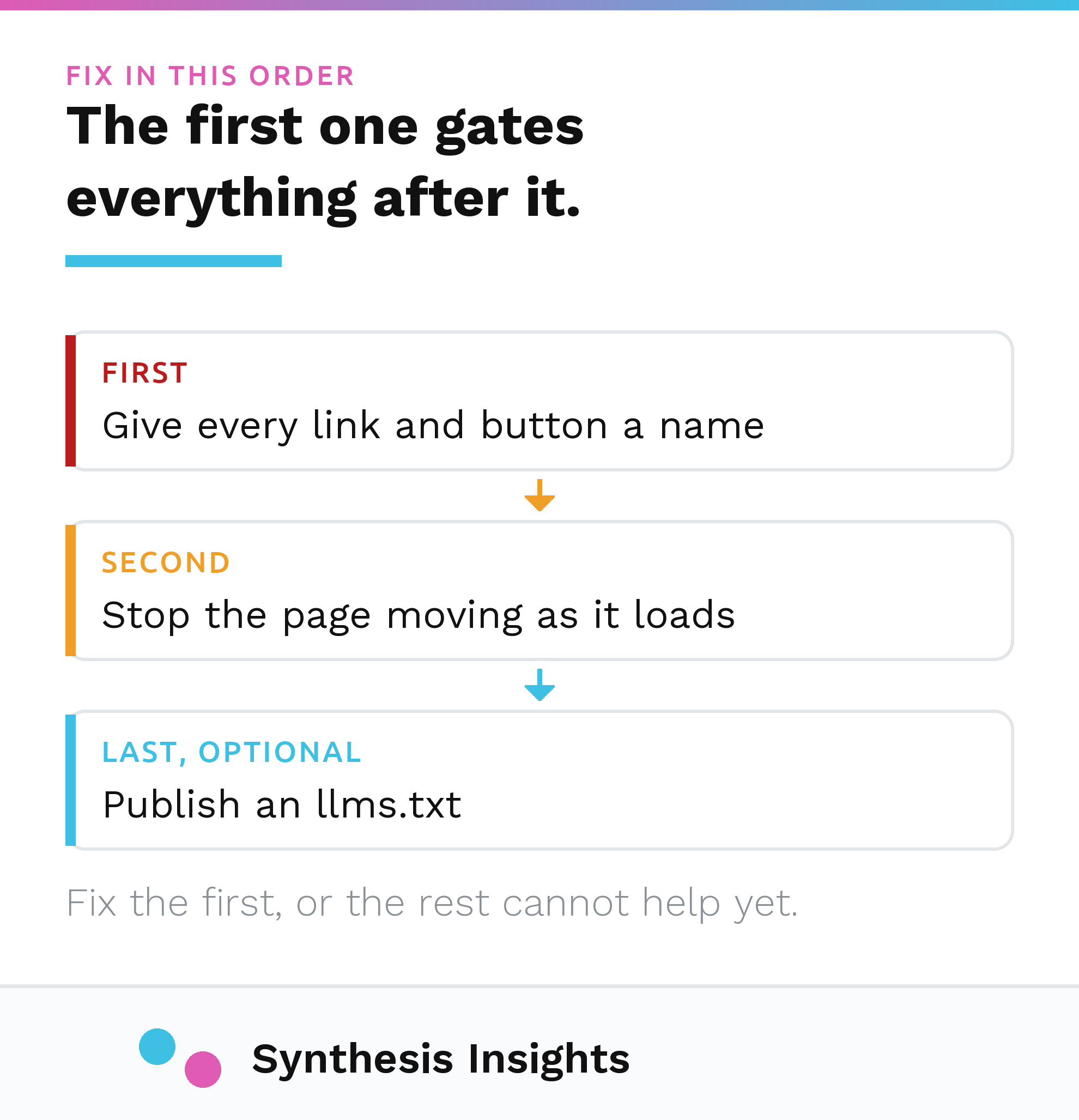
Fix things in this order
Order matters more than people realise, because the first item gates everything else.
1. Give every link and button a readable name
This is the check most sites fail and the one to fix first.
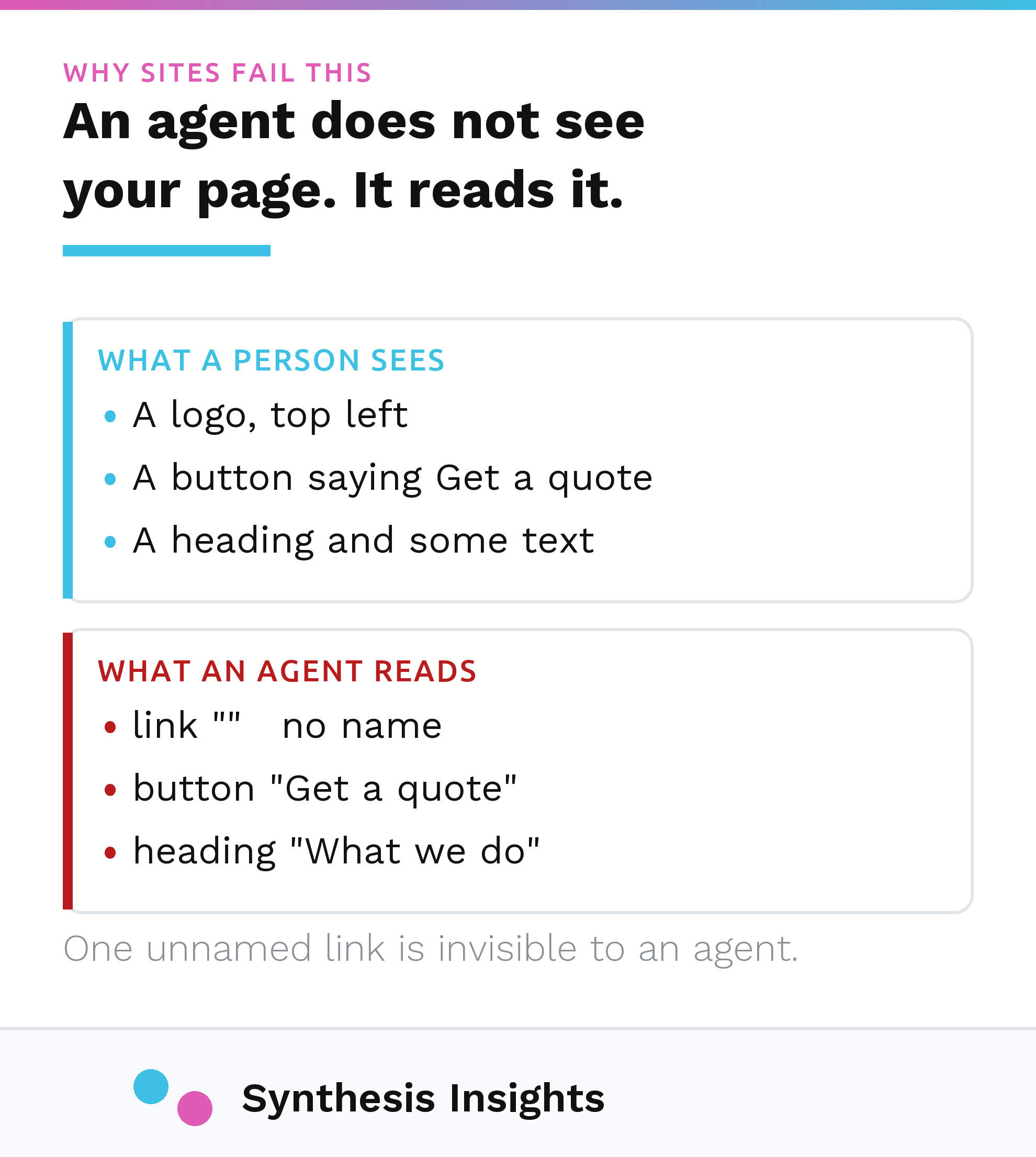
You know that button is a button because it looks like one. An agent gets no picture. It receives a text outline of your page. A control that is visually obvious but carries no text in the code is simply not there.
The culprits are boringly consistent: a linked logo with no text inside it, an icon only search or menu button, a social icon in the footer. Each is a small fix. For a linked logo, put alt text on the image inside the link, or an aria-label on the link itself. For an icon only button, add aria-label="Search" or its equivalent.
Do this before anything else. If an agent cannot navigate your page, nothing further matters.
2. Stop the page moving while it loads
This is Cumulative Layout Shift, the metric you already know from performance work, doing a second job.
If a banner or an image loads late and shoves everything down, whatever the agent was about to click has moved. It clicks the wrong thing and the task fails silently. Nobody gets an error. The quote request simply never arrives.
The causes are familiar: images and embeds with no width and height set, content injected above existing content, fonts that reflow text when they swap in. Google’s target is 0.1 or lower.
3. Publish an llms.txt, last
Covered above. A Markdown file at your root, at least one # heading, a short description of what you do, a linked list of your important pages. Worth doing. Not urgent, and not a pass requirement.
What about WebMCP?
Ignore it unless you run transactional flows you want agents completing autonomously and you are willing to join an origin trial. For everyone else it is noise.
Not sure which of these applies to you? The free check runs the audit and returns the fix list in this order, with the exact code that failed.
What this looked like in practice
The first site I ran this against scored 1 of 3. It failed the accessibility tree check on exactly one element: the logo in the header, a link wrapping an image with an empty alt attribute. On screen it looks perfect. In the accessibility tree it was an unlabelled link going nowhere in particular.
Fixing it took about two minutes. Alt text on one image. It now scores 3 of 3.
Worth separating one thing, because precision is the entire point of this post. That site also had a heading level skipped in the footer. That is a real defect and worth fixing, but it is not part of Chrome’s agentic category. It is one of the extra readability checks I run alongside it. The agentic audit itself is only ever the six named above.
The score is not the point. The point is that nobody would have found the logo problem by looking at the page. It looked fine. It still does. The defect existed only in the layer that agents and screen readers read, which is precisely the layer nobody inspects.
That is the argument for running the test rather than reasoning about whether you need it. The failures are invisible by nature.
Run it on your own site
I built a free tool that runs this exact audit and explains the results in plain English, including the specific elements at fault and the order to fix them.
Run the free AI Agent Readiness Check
It takes under a minute, there is no signup to see your results, and when a check does not apply to your site it says so, instead of inventing a problem to sell you a fix.
If the bigger question on your mind is not whether an agent can use your site but whether assistants ever mention you in the first place, that is a different problem and I wrote about it under the AI Visibility Audit.
André Rosdahl runs Synthesis Insights, a paid media practice for industrial and commercial manufacturers and other companies whose buyers think before they buy.